

Ecwid has been a popular ecommerce solution for businesses that want to sell products online without rebuilding their existing websites.
Instead of moving your entire website to a traditional ecommerce platform, you can add a product catalog, shopping cart, and checkout to the website you already have.
But Ecwid isn't the only platform that offers this flexibility.
With changes in subscription pricing, evolving business requirements, and the growing popularity of custom-built and AI-generated websites, you might be looking for an alternative that better fits your needs.
Maybe you want to:
- Start selling products without paying a monthly subscription.
- Add a shopping cart to an existing website.
- Build a standalone online store.
- Accept payments through your preferred payment gateway.
- Create a custom ecommerce application using a REST API.
- Manage multiple client stores from one account.
- Avoid additional platform transaction fees.
- Have more control over your storefront design.
In this article, we'll compare seven Ecwid alternatives, including their pricing, ecommerce capabilities, developer tools, and limitations.
Whether you're a small business owner, software developer, content creator, or web design agency, there's an option worth exploring.
Why Look for an Ecwid Alternative in 2026?
Ecwid remains a capable ecommerce platform. It provides website integrations, a hosted online store, inventory management, payment integrations, and multichannel selling.
However, there are several reasons why businesses might consider other options.
1. Changes to Ecwid's Pricing
Ecwid introduced updated pricing for its Venture, Business, and Unlimited plans effective March 2, 2026.
The updated USD pricing is:
| Plan | Monthly billing | Monthly equivalent when billed annually | |---|---:|---:| | Venture | $35 | $29 | | Business | $65 | $49 | | Unlimited | $149 | $119 |
Ecwid also offers a paid Starter plan for businesses selling up to 10 products. Its pricing was not changed by this particular update.
Source: Ecwid's official 2026 pricing announcement.
For an established ecommerce business, these subscription costs may be reasonable.
But for a small business that only sells a handful of products every month, paying $35 or $65 before processing a single transaction can be a significant consideration.
2. You Want a Free Plan That Allows Real Sales
Ecwid currently offers four paid subscription tiers for new customers.
If you're experimenting with a business idea, launching your first product, or adding ecommerce functionality to a client's website, you may prefer a platform that lets you start selling before committing to a paid subscription.
There is an important distinction between:
- A permanent free plan that supports live sales.
- A free trial that expires.
- A free development environment that cannot accept live payments.
Not every ecommerce platform advertising a free signup offers a permanent free selling plan.
3. You Need More Flexibility as a Developer
Modern websites are built using many different technologies.
For example:
- Next.js.
- React.
- Vue.
- Astro.
- Static HTML and JavaScript.
- Webflow.
- Framer.
- WordPress.
- AI website builders such as Lovable and Bolt.
Sometimes, you don't want the commerce platform to determine how your frontend looks or behaves.
You simply need a backend that handles product data, inventory, shopping carts, checkout, payments, and orders.
Ecwid provides developer APIs, including REST API access on Venture and higher plans.
However, it is worth comparing other platforms based on their API architecture, documentation, authentication requirements, and pricing.
4. You Want to Keep Your Existing Website
Suppose you've already invested time and money into building a professional website for your business.
The design is exactly how you want it. Your pages are indexed by search engines. Your customers recognize your brand.
Now you want to start selling products.
Rebuilding the entire website just to introduce ecommerce functionality may not be necessary.
Platforms providing embeddable product catalogs and shopping carts allow you to retain your existing website while connecting it to a separate commerce system.
5. You Need Specific Payment Gateway Integrations
Payment availability varies between countries and businesses.
Some merchants prefer Stripe or PayPal.
Others may need Paystack, Flutterwave, Razorpay, or another regional payment provider.
Before choosing an ecommerce platform, verify that it supports your preferred payment gateway, business location, settlement currency, and merchant account requirements.
The 7 Best Ecwid Alternatives at a Glance
Here's a quick comparison before we explore each platform in more detail.
| Platform | Best for | Free selling plan | Starting paid price | |---|---|---|---:| | Shoprivet | Embedded ecommerce, hosted stores, and custom API integrations | Yes | $15/month | | Shoprocket | Adding ecommerce to existing websites | Yes | $29/month | | Snipcart | Developers building custom websites | No, free testing only | $20/month minimum model | | Shopify | Full-scale ecommerce businesses | No | $29/month, billed annually for Basic | | Foxy | Custom checkout and subscription-based businesses | No, free development trial | $30/month | | WooCommerce | WordPress websites and self-hosted stores | Free core software | Hosting and extensions vary | | Sellfy | Creators, digital products, and merchandise | No, free trial | $29/month |
Pricing is in USD and reflects the information available in November 2026. Promotional offers, taxes, regional prices, and payment processing fees may vary.
A free software download, such as WooCommerce, does not necessarily mean that operating the complete store is free.
1. Shoprivet: Best for Embedded Ecommerce, Hosted Stores, and Custom Development
Website: shoprivet.io
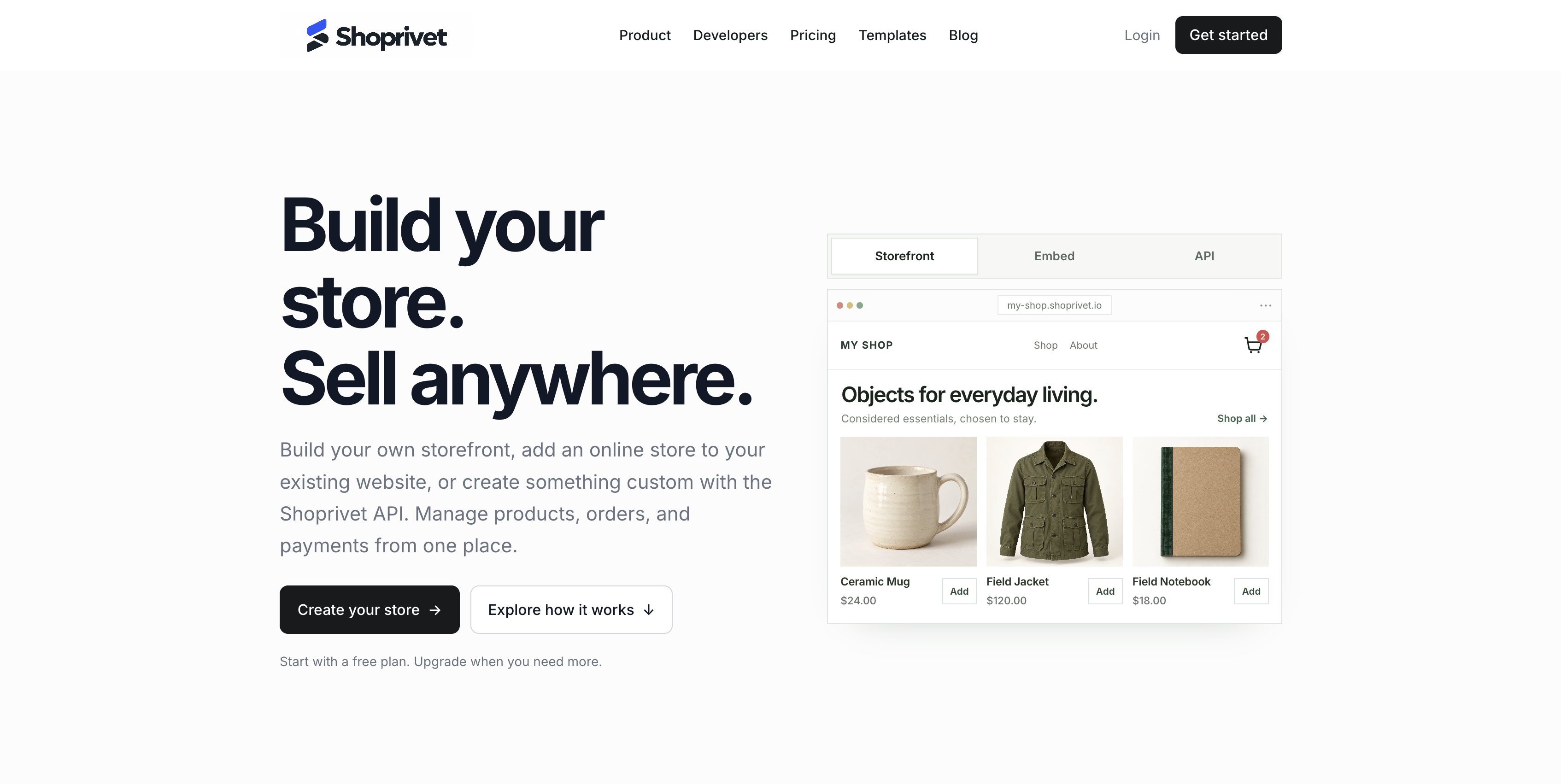
Shoprivet is an ecommerce platform that allows businesses and developers to sell products through an existing website, a hosted online store, or a completely custom application.
Disclosure: I'm the developer behind Shoprivet. I've included it in this comparison because its approach is directly relevant to businesses looking for alternatives to Ecwid.
Rather than requiring every merchant to use the same storefront architecture, Shoprivet provides three different ways to build a shopping experience.
Option 1: Add Ecommerce to Your Existing Website
If you already have a website, you can create a product catalog widget and embed it into your existing pages.
This is particularly useful for websites built with:
- Webflow.
- Framer.
- WordPress.
- Squarespace.
- HTML and JavaScript.
- React.
- Next.js.
- Astro.
- Vue.
- AI website builders.
The website must support the custom HTML and JavaScript required by the widget.

The catalog provides a customer-facing interface for browsing products and making purchases.
Meanwhile, the merchant manages product information, pricing, inventory, payment configuration, and orders through Shoprivet.
You don't need to move your existing website to another hosting provider.
You also don't need to build a separate shopping cart backend.
Customize the Embedded Product Catalog
Shoprivet includes a visual catalog editor that allows you to configure the shopping experience before embedding it into your website.
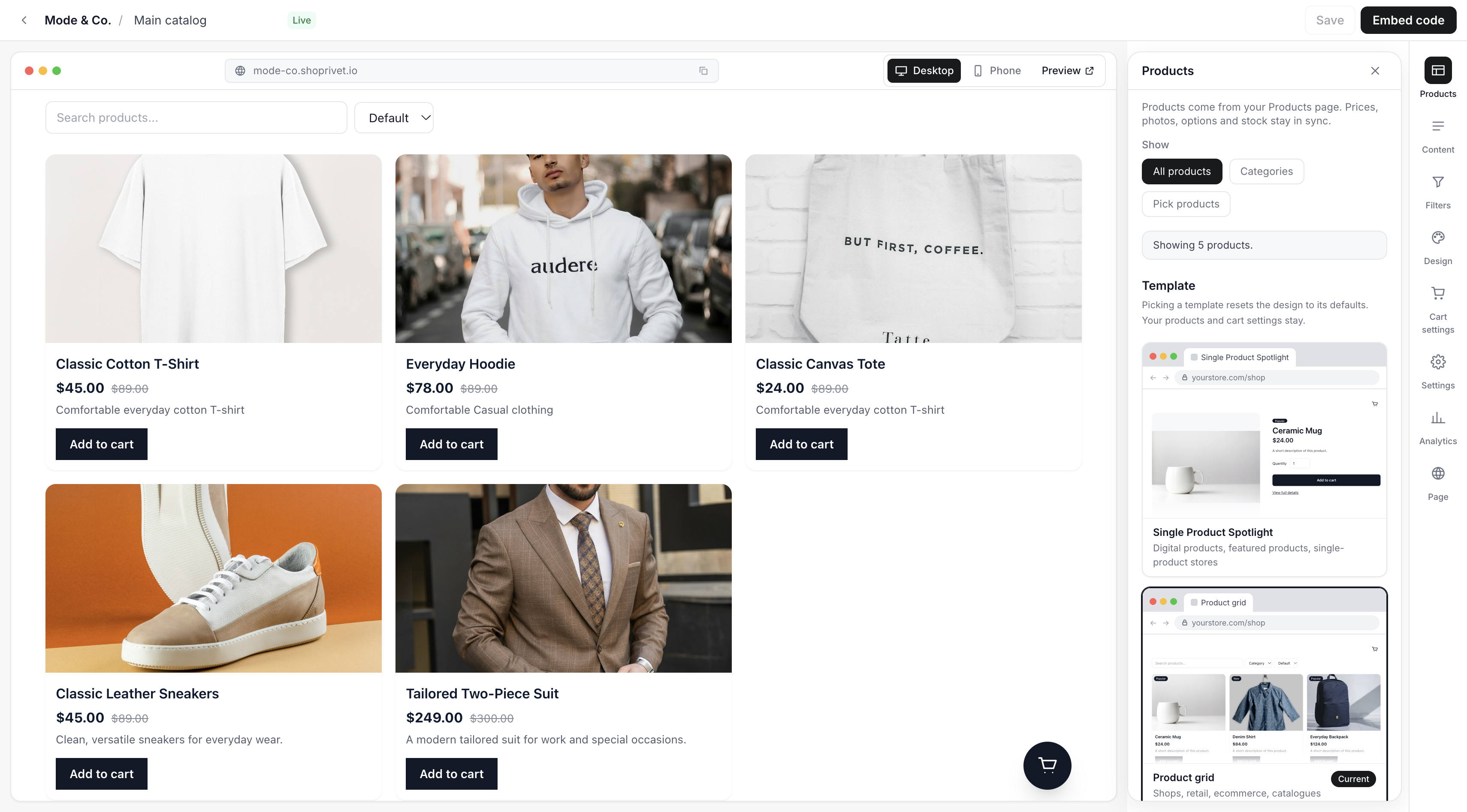
You can configure available options for:
- Product layouts.
- Product columns.
- Product selection.
- Product filters.
- Button appearance.
- Shopping cart design.
- Mobile presentation.
For example, a minimalist fashion website may need a different catalog appearance from a furniture store or a digital template marketplace.
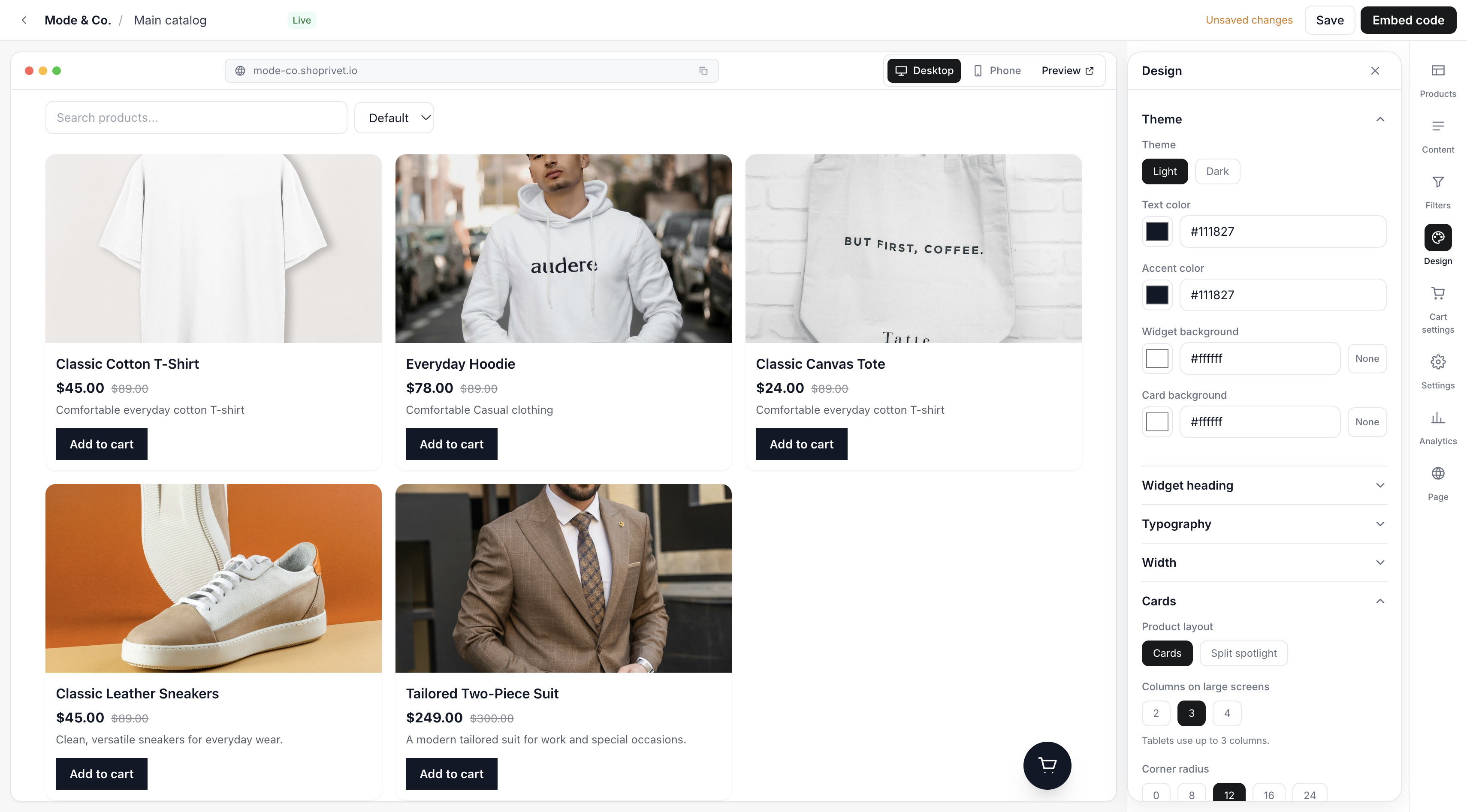
You can also configure which products appear in each catalog widget.
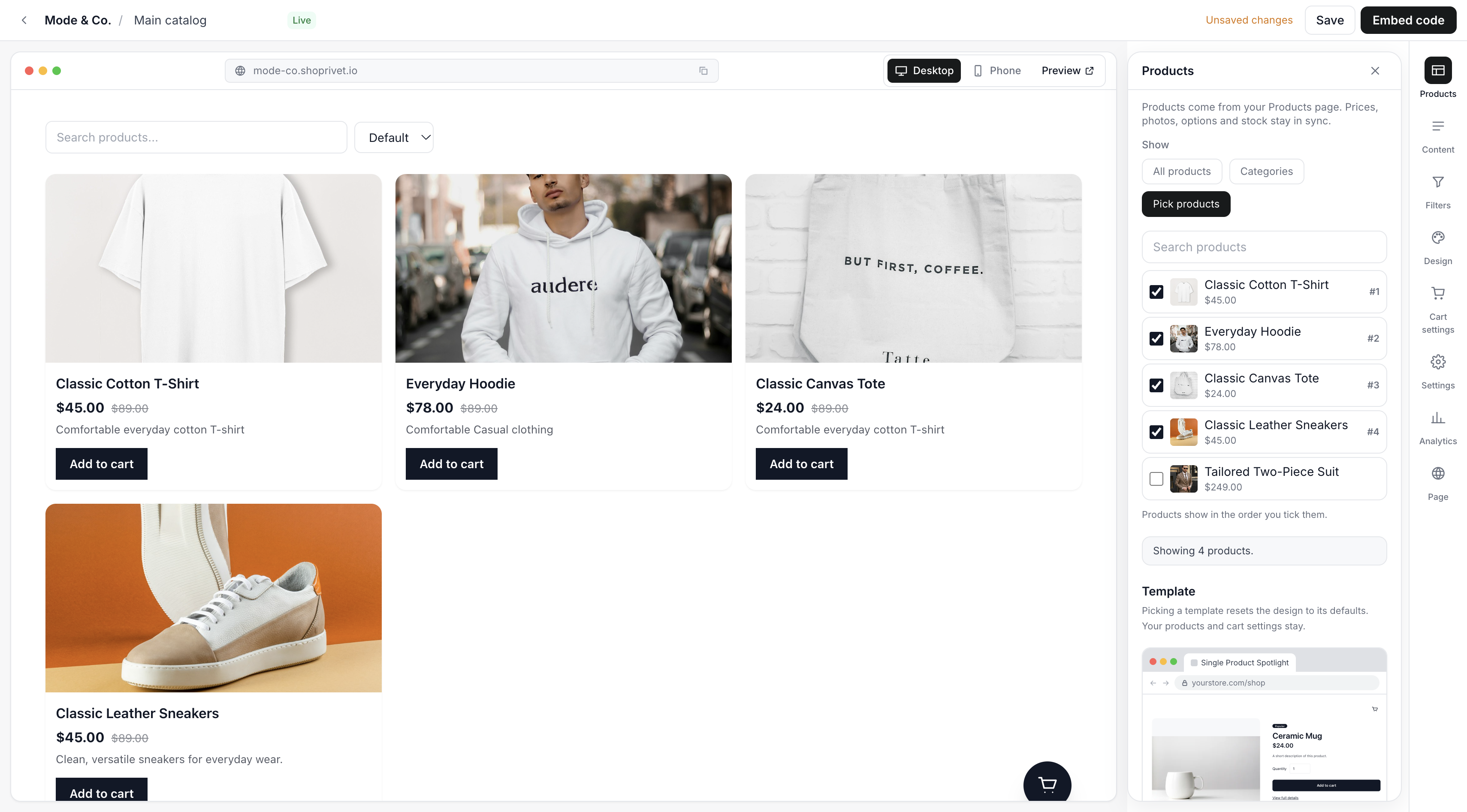
This is useful when you want to display different product collections across different pages of your website.
For instance:
| Website page | Product selection | |---|---| | Homepage | Featured products | | Shop page | Entire catalog | | New arrivals | Selected new products | | Accessories page | Accessories collection | | Promotional landing page | Selected promotional products |
All these catalog widgets can use the same underlying store.
The merchant doesn't need to maintain a separate product database for each page.
Built-In Shopping Cart and Checkout
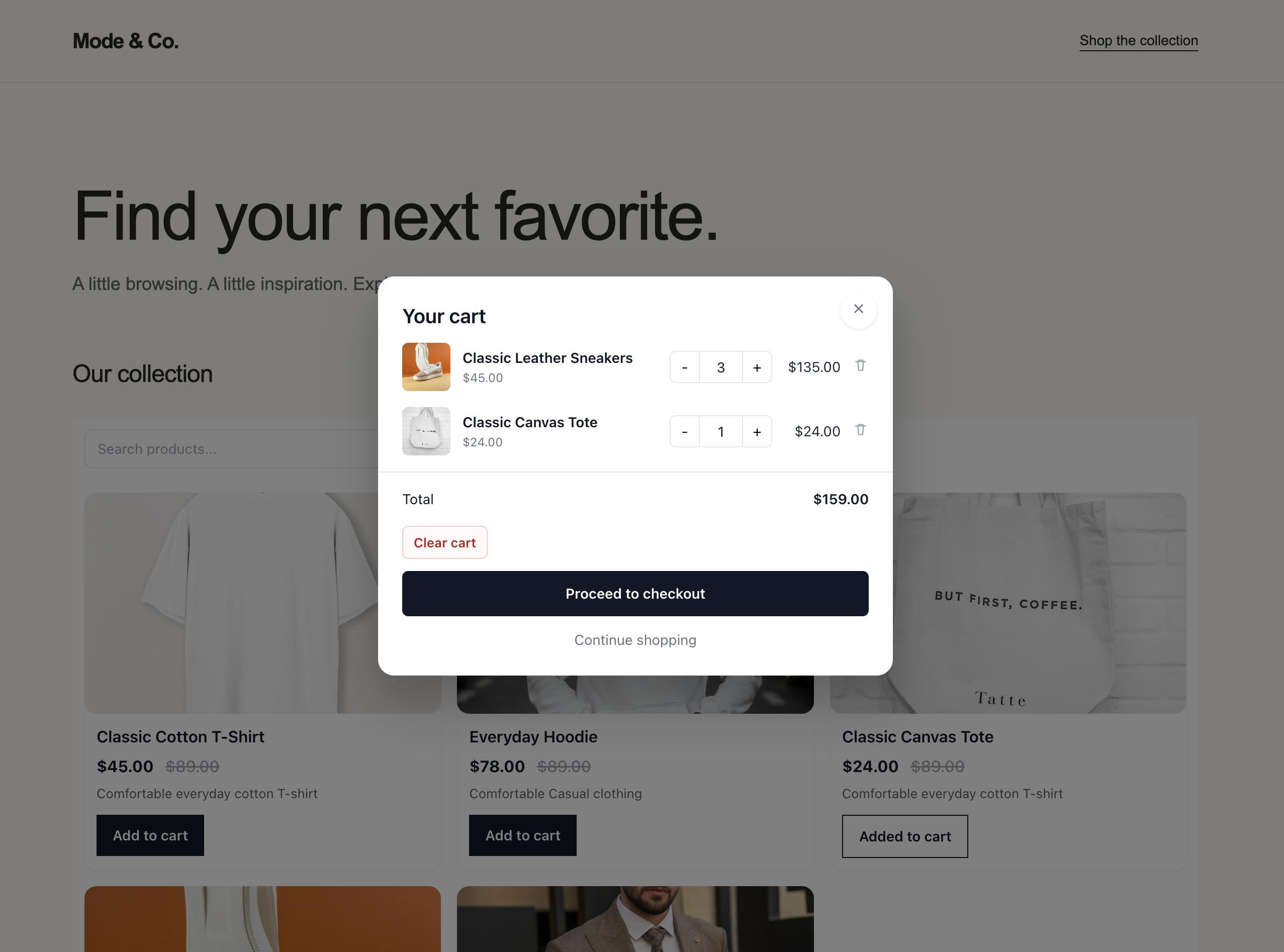
Customers can add products to their cart, adjust quantities, remove items, and proceed to checkout.
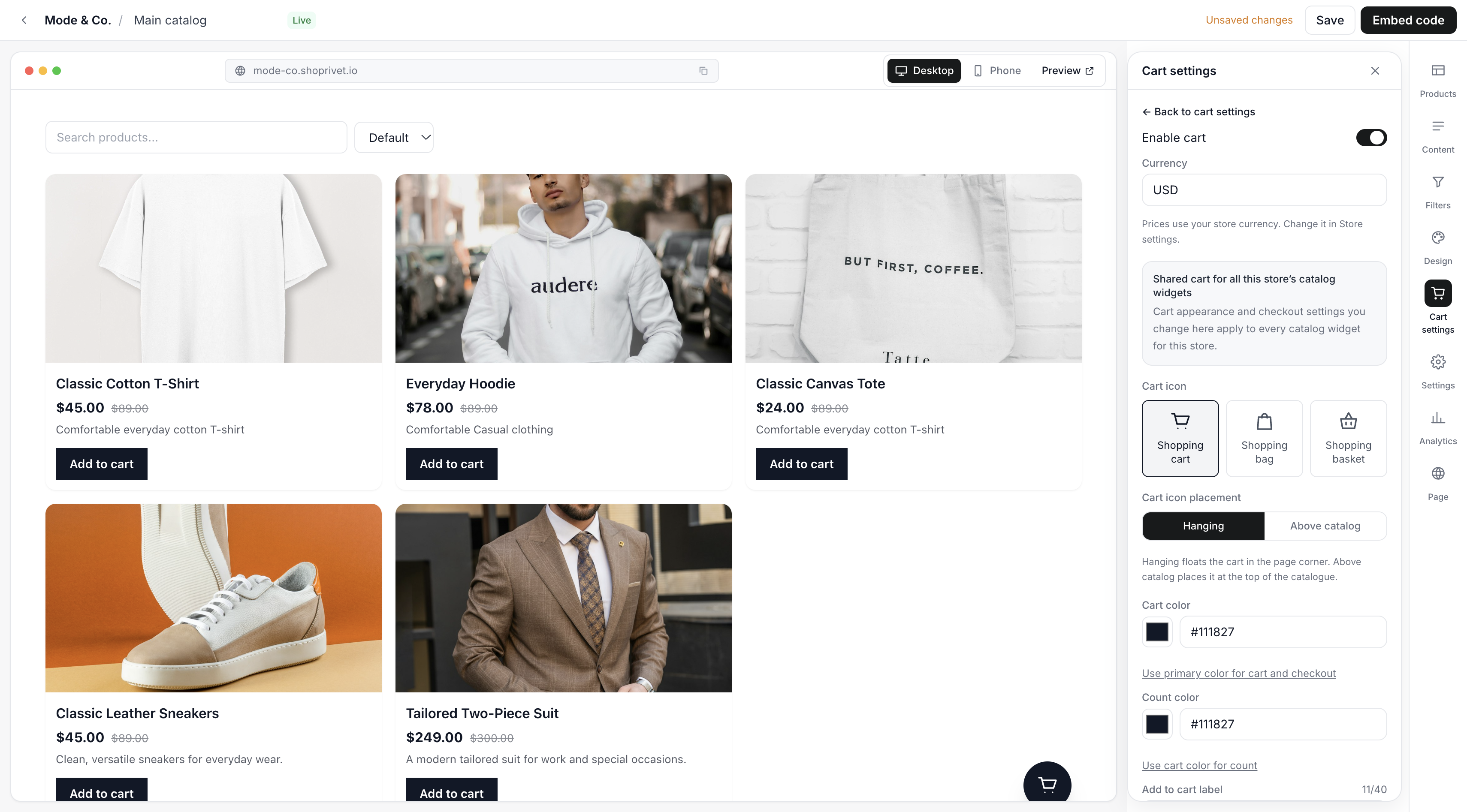
Shoprivet also provides settings for customizing the available shopping cart appearance options.
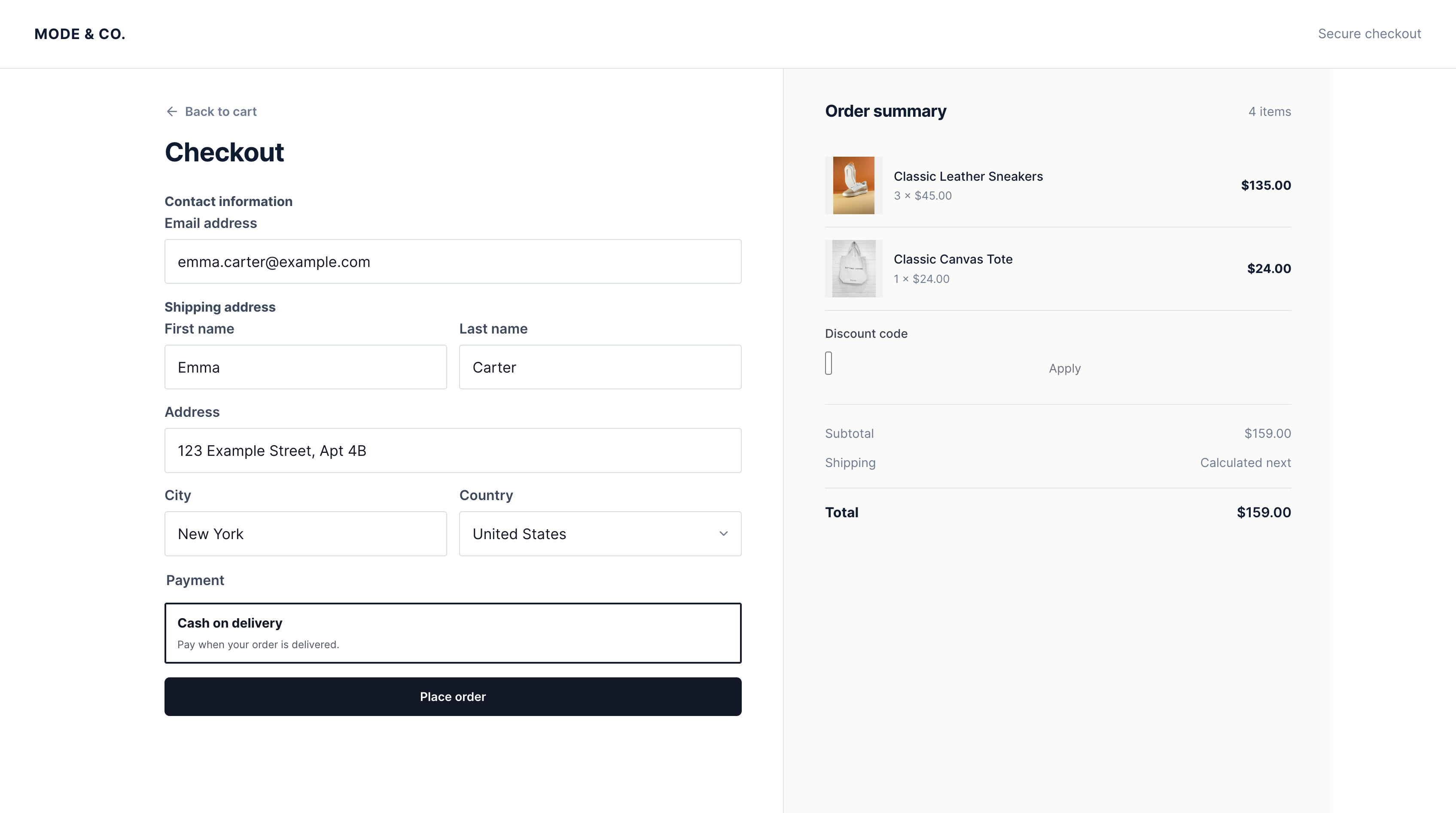
Once customers are ready to purchase, they can use the checkout interface.
The resulting orders are managed through a dedicated commerce dashboard.
Explore the Shoprivet embeddable product catalog.
Option 2: Build a Complete Online Store Without Coding
Not every business already has a website.
Some merchants simply need a professional online store where customers can browse products and place orders.
Shoprivet also provides a hosted storefront builder with customizable ecommerce templates.

Businesses can start with an available template and customize the storefront through a visual editing interface.
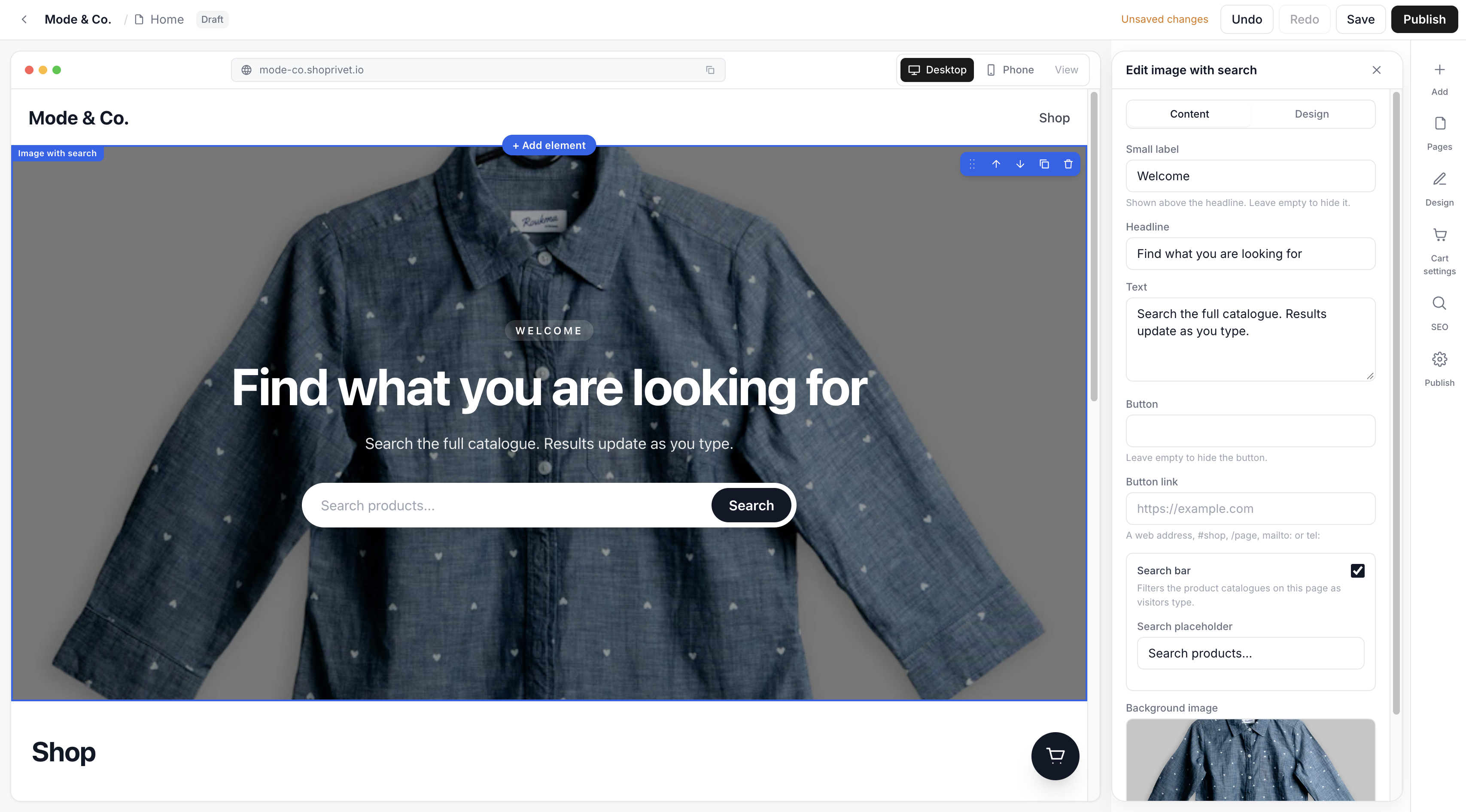
This approach is useful for:
- Fashion brands.
- Beauty and skincare businesses.
- Home accessories stores.
- Independent retailers.
- Small businesses launching their first ecommerce website.
- Creators selling downloadable products.
You can configure your store's appearance, add products, connect payment methods, and publish your storefront without developing the entire website from scratch.
Eligible plans also support connecting a custom domain.
You don't have to configure a separate ecommerce database or server.
Explore Shoprivet storefront templates.
Option 3: Build a Custom Online Store Using the Developer API
This is especially useful if you're a software engineer who wants complete control over the customer-facing application.
Instead of using the visual storefront builder or prebuilt catalog widget, you can interact with Shoprivet through its REST API.
For example, you could build:
- A Next.js fashion storefront.
- A React ecommerce website.
- A Vue product marketplace frontend.
- A React Native shopping application.
- An internal inventory management application.
- A custom merchant dashboard.
- A product synchronization service.
Shoprivet handles the underlying commerce operations while you develop your own user interface.
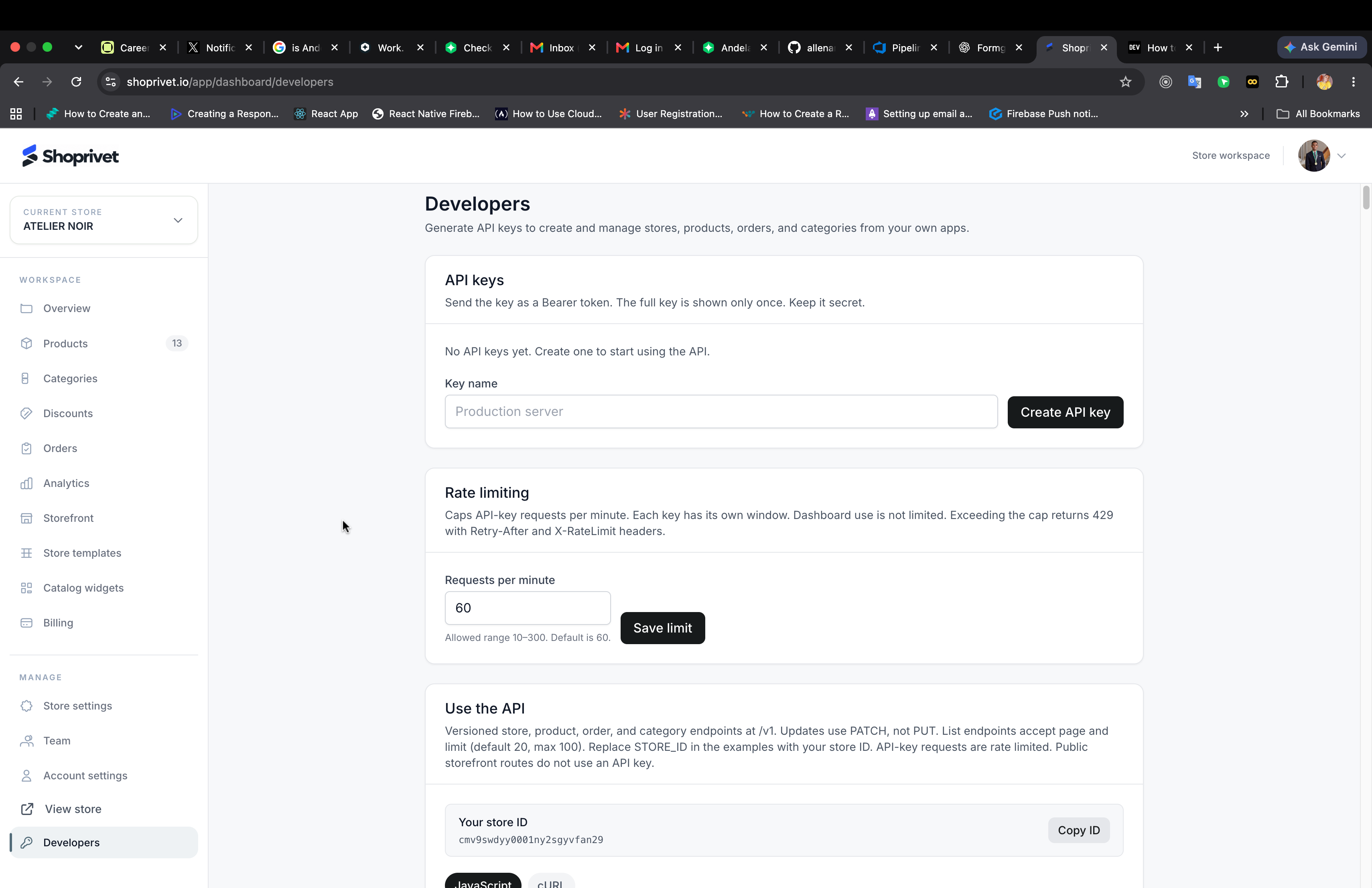
The Developers section provides:
- API key generation and management.
- Configurable request rate limits.
- JavaScript and cURL examples.
- Management API documentation.
- Public storefront API documentation.
- Shopping cart and checkout examples.
Shoprivet separates administrative operations from customer-facing commerce operations.
#### Authenticated Management API
The management API provides endpoints for working with stores, products, categories, and orders.
For example, retrieving a store's products from a server-side application:
const response = await fetch(
  `https://api.shoprivet.io/v1/stores/${process.env.SHOPRIVET_STORE_ID}/products`,
  {
    headers: {
      Authorization: `Bearer ${process.env.SHOPRIVET_API_KEY}`,
      Accept: "application/json",
    },
  }
);

if (!response.ok) {
  throw new Error("Unable to retrieve products");
}

const data = await response.json();

console.log(data);
The merchant API key must remain in a trusted server environment.
Never expose it inside browser-side JavaScript or a mobile application.
#### Public Storefront API
For frontend applications, Shoprivet also provides public endpoints for customer-facing operations.
For example, retrieving published products:
const response = await fetch(
  "https://api.shoprivet.io/public/stores/YOUR_STORE_SLUG/products"
);

if (!response.ok) {
  throw new Error("Unable to retrieve products");
}

const data = await response.json();

console.log(data);
The public storefront API also supports workflows involving:
- Guest shopping carts.
- Adding and removing cart items.
- Updating quantities.
- Retrieving available payment methods.
- Initiating checkout.
- Authorized order retrieval.
- Payment confirmation.
Protected cart and order operations use their own scoped credentials instead of exposing the merchant API key.
This means developers can create a completely custom shopping experience while using Shoprivet as their commerce backend.
For implementation details, visit the Developers dashboard after signing in.
Product and Inventory Management
Regardless of whether you use widgets, hosted storefronts, or the REST API, your products are managed through the same store dashboard.
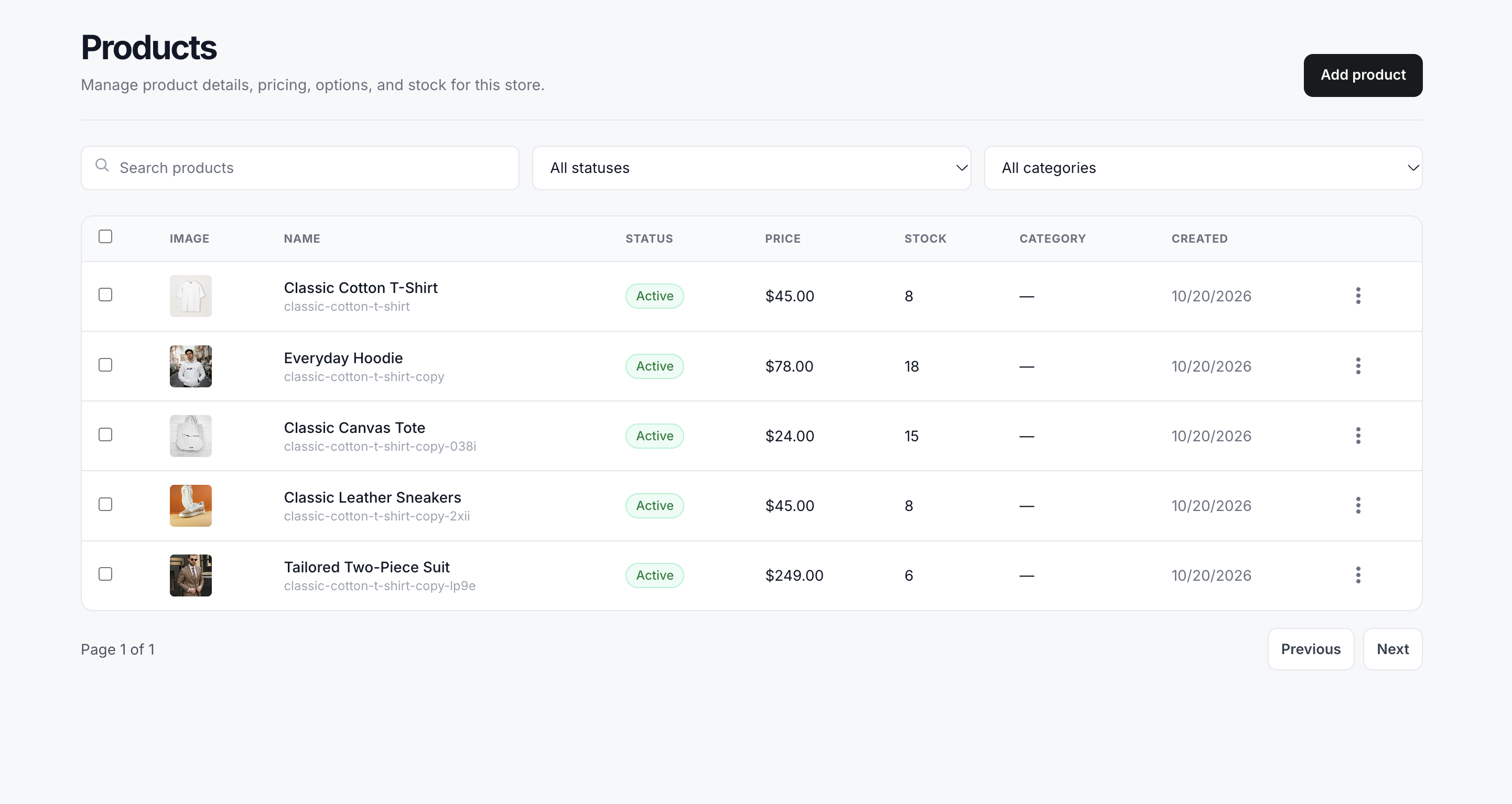
Businesses can manage product information such as:
- Names and descriptions.
- Product photography.
- Selling prices.
- Discounted prices.
- Categories.
- Inventory quantities.
- Product publishing status.
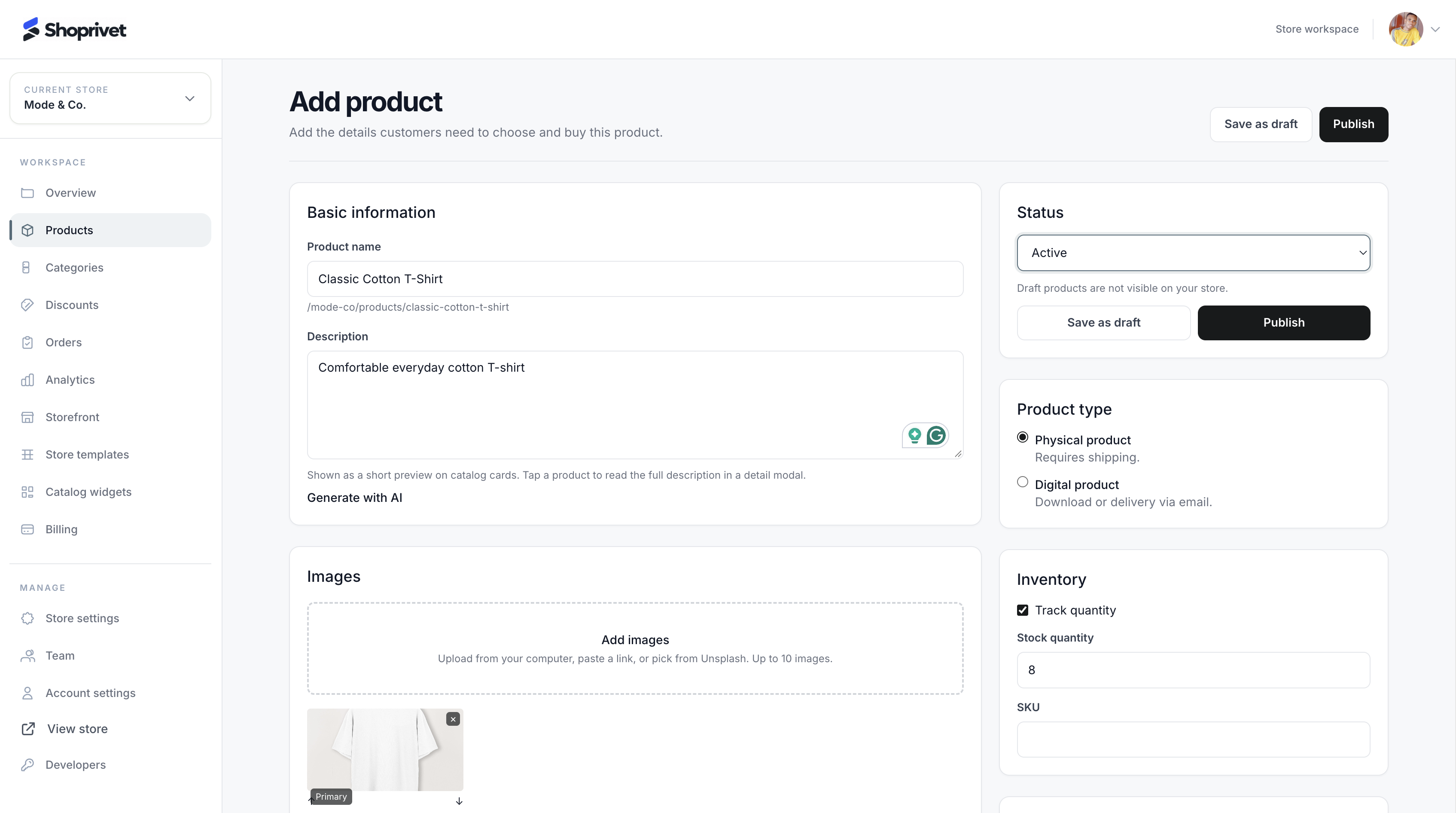
Product options and variants are also available on eligible paid plans.
For example, a clothing business could organize products by size and color, with different prices, images, SKUs, and stock quantities for individual variants.
Physical and Digital Products
Shoprivet supports stores selling physical or digital products.
Physical products could include:
- Clothing.
- Skincare products.
- Furniture.
- Accessories.
- Electronics.
- Handmade products.
Digital products could include:
- Ebooks.
- Website templates.
- Design resources.
- Downloadable software.
- Educational materials.
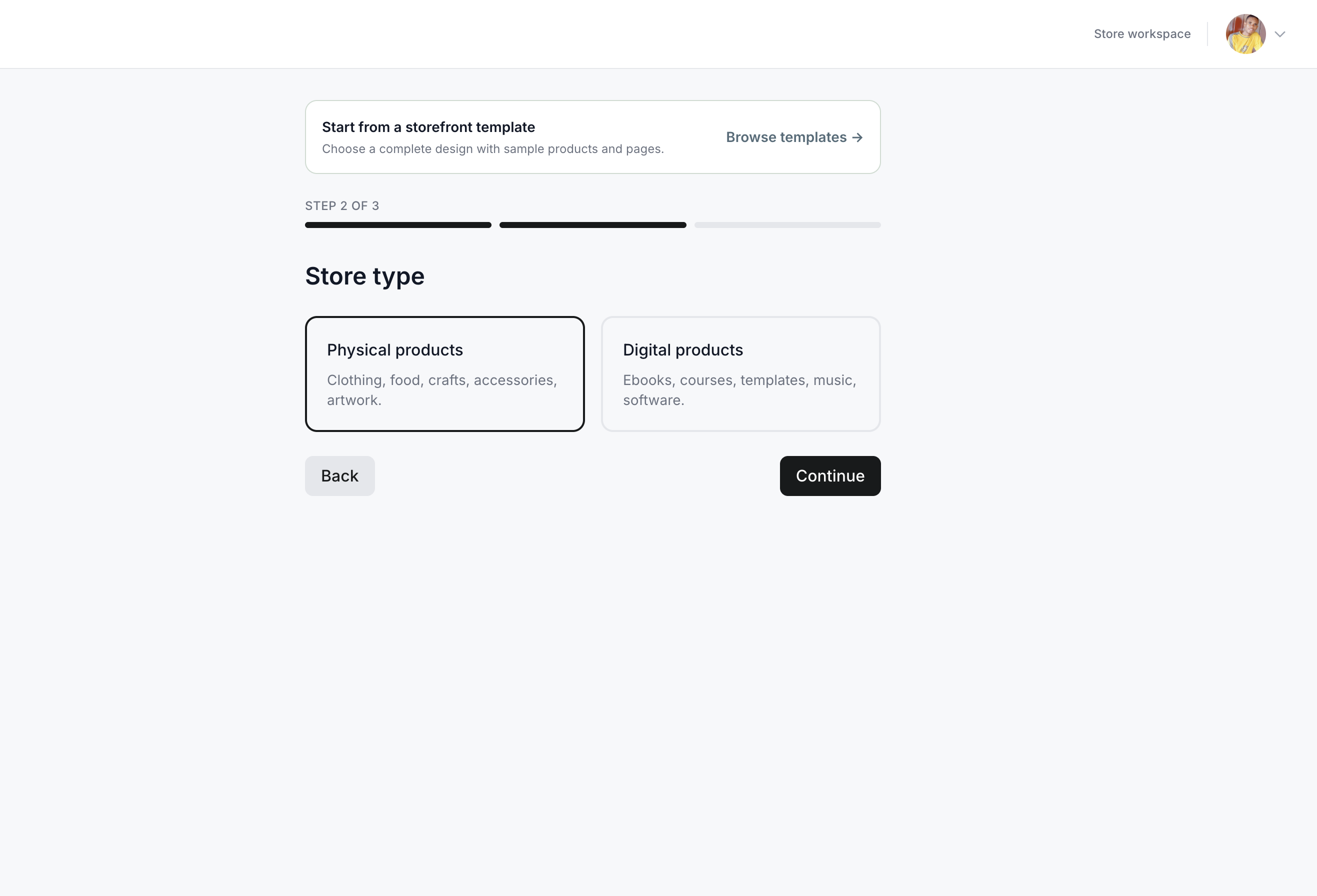
Digital products can use protected file delivery rather than requiring merchants to manually email download links after every verified purchase.
Payment Gateway Integrations
Shoprivet supports payment methods including:
| Payment provider | Suitable use case | |---|---| | Stripe | Eligible businesses accepting online payments | | PayPal | Businesses offering PayPal-supported payments | | Paystack | Merchants in supported African markets | | Flutterwave | Businesses in supported regional and international markets | | Razorpay | Eligible merchants using Razorpay | | Cash on delivery | Businesses collecting payment upon delivery |
Actual availability depends on merchant eligibility, location, currency, product type, and store configuration.
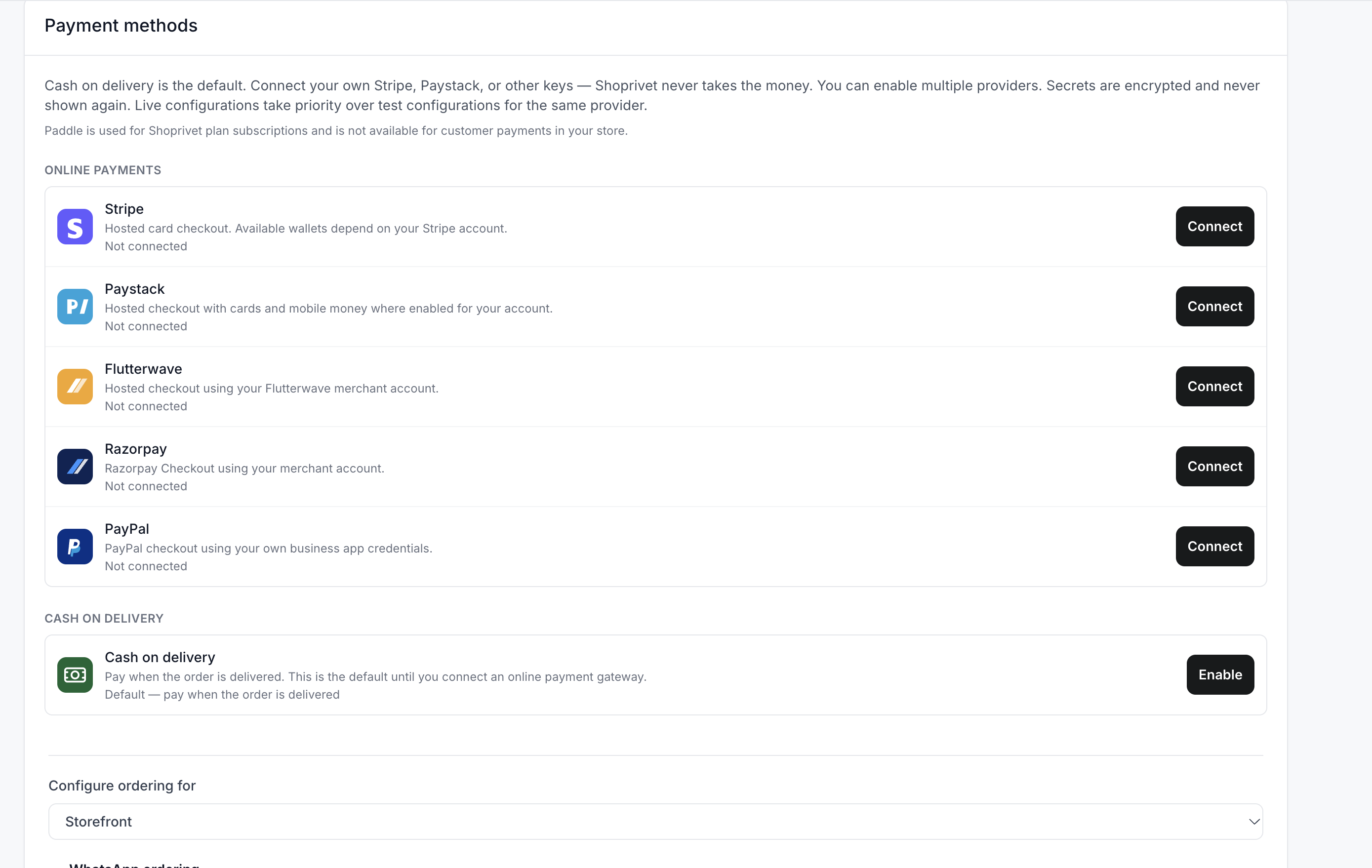
Shoprivet does not charge an additional percentage-based platform commission on customer purchases.
Your connected payment provider may still apply its own processing fees.
This distinction is important when comparing the actual cost of running an ecommerce store.
Order Management
When customers purchase products, merchants can review their orders from the Shoprivet dashboard.
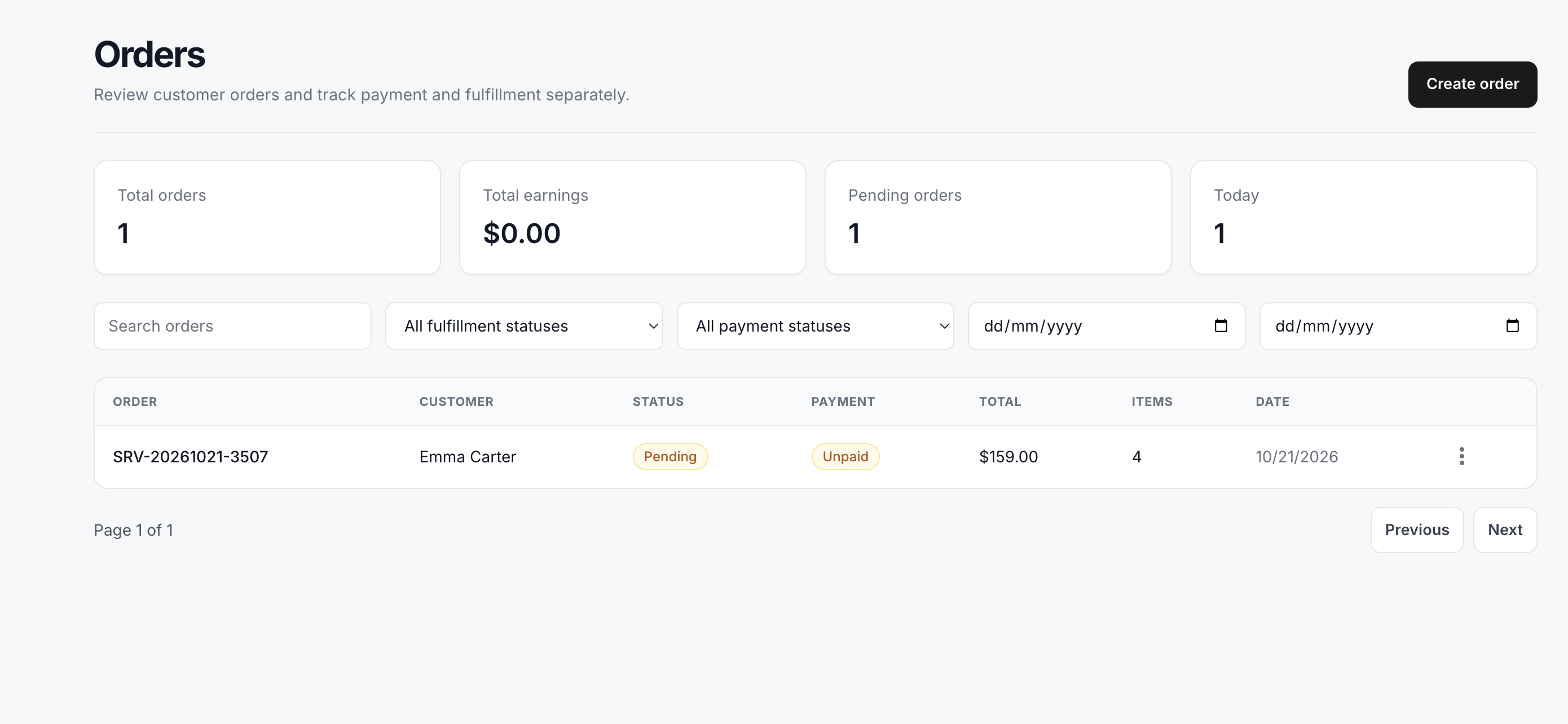
Individual orders can be opened to review purchase details and manage fulfillment.
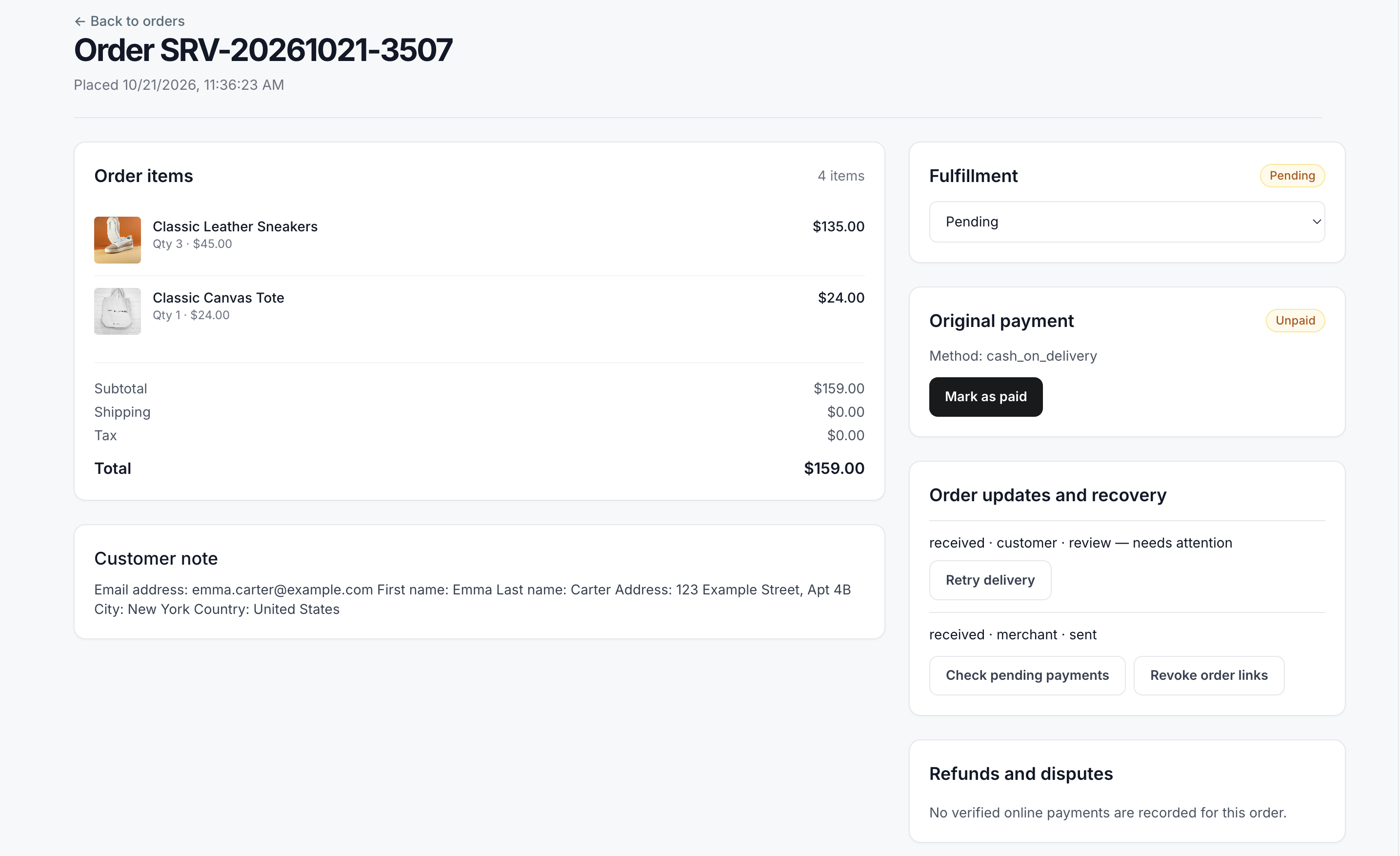
Order notifications can also inform merchants when customers place purchases.

This is particularly useful for developers and agencies because clients can manage daily ecommerce operations without editing their website's source code.
Shoprivet Pricing
| Feature | Free | Premium | Business | |---|---:|---:|---:| | Monthly price | $0 | $15 | $39 | | Stores | 1 | 3 | Unlimited | | Products | 25 | Unlimited | Unlimited | | Monthly order allowance | 50 | 1,000 | 10,000 | | Connected payment gateways | 1 | 3 | Unlimited | | Percentage-based platform sales commission | 0% | 0% | 0% |
Advanced features and API entitlements may depend on the selected plan.
The free plan is useful for testing a business idea or launching a small catalog before upgrading.
Premium is suited to growing businesses and developers who need more products, stores, and order capacity.
Business is worth considering for agencies and businesses managing several ecommerce projects.
Shoprivet Pros
- Permanent free plan.
- Embeddable product catalogs and shopping carts.
- Hosted storefront builder with customizable templates.
- Management and public storefront APIs.
- Support for physical and digital products.
- Regional and international payment integrations.
- No percentage-based platform sales commission.
- Multiple stores on paid plans.
- Centralized product, inventory, and order management.
Shoprivet Limitations
- Smaller ecosystem of third-party integrations than established platforms such as Shopify.
- Monthly order allowances depend on the selected plan.
- Advanced features such as product variants require eligible paid plans.
- Custom API-based storefronts require development and integration testing.
- Businesses with specialized tax, shipping, marketplace, or POS requirements should verify feature availability before migrating.
Who Should Choose Shoprivet?
Shoprivet is worth considering if you want to add ecommerce to an existing website, launch a hosted online store, or develop a custom storefront without maintaining your own commerce backend.
It is particularly relevant to developers, freelancers, small businesses, and web design agencies that value flexibility in how their storefronts are built.
Create a free Shoprivet account.
2. Shoprocket: Best for Adding Ecommerce to Existing Websites
Website: shoprocket.io
Shoprocket is one of the more direct alternatives to Ecwid because it focuses on allowing merchants to sell products through websites they already own.
If you've built your website using HTML, Webflow, Framer, Squarespace, or another compatible platform, Shoprocket can provide an embedded commerce experience.
It also provides hosted storefronts for businesses that don't already have a website.
Shoprocket Features
- Embedded ecommerce widgets.
- Hosted online stores.
- Physical and digital product selling.
- Stock management.
- Product variations.
- REST API and developer integrations.
- Marketing and sales tools.
- Payment gateway integrations.
- Shipping and tax functionality.
Some features, including subscriptions, wholesale functionality, marketing automation, and advanced localization, depend on the plan.
Developer Experience
Shoprocket provides developer documentation covering API integrations, webhooks, SDKs, and storefront widgets.
This makes it relevant to developers who need more than a simple buy button.
Review its API capabilities and plan entitlements if you're planning to build a custom headless ecommerce application.
Shoprocket developer documentation.
Shoprocket Pricing
| Plan | Monthly billing | Monthly equivalent when billed annually | |---|---:|---:| | Free | $0 | $0 | | Starter | $29 | $24.17 | | Growth | $49 | $40.83 | | Business | $79 | $65.83 | | Plus | $199 | $165.83 |
The free plan supports up to 10 physical products and includes an embedded selling experience and hosted storefront.
Paid plans support unlimited products.
Shoprocket states that its plans have no platform transaction fees or sales-volume caps. Payment processing fees remain separate.
Features such as digital downloads, inventory tracking, and custom domains require a paid plan.
Source: Shoprocket pricing.
Shoprocket Pros
- Free plan available for small physical-product catalogs.
- Commerce functionality can be integrated into an existing website.
- Hosted storefront option.
- Developer tools and API integrations.
- No percentage-based platform transaction fee.
- No monthly sales or order cap advertised on its plans.
Shoprocket Limitations
- Free plan is limited to 10 physical products.
- Advanced marketing and commerce features may require higher subscription tiers.
- Businesses requiring digital products or inventory tracking need to evaluate paid plans.
Who Should Choose Shoprocket?
Shoprocket is a strong option for merchants looking to introduce ecommerce functionality into an existing website, especially when unlimited sales volume is important.
It is also one of the closest alternatives to consider if you're already familiar with Ecwid's embedded ecommerce approach.
3. Snipcart: Best for Developers and Custom-Built Websites
Website: snipcart.com
Snipcart takes a developer-oriented approach to ecommerce.
Instead of providing a traditional hosted website builder, it allows developers to integrate shopping cart functionality into their own websites.
This is especially useful when you've already designed your product pages and want to make them purchasable.
For example, a developer might create a product page using HTML or a frontend framework and then integrate Snipcart's shopping cart.
Snipcart Features
- Customizable shopping cart.
- Physical and digital product support.
- Product variants.
- Inventory management.
- Payment integrations.
- Merchant and customer dashboards.
- APIs and webhooks.
- Shipping and tax tools.
- Abandoned cart recovery.
Developer Experience
Snipcart is particularly appealing to developers building static websites or applications with custom frontend architectures.
It provides documentation for integrating its cart, configuring product information, customizing checkout, and interacting with its APIs.
Snipcart developer documentation.
Unlike platforms that provide a visual hosted storefront builder, Snipcart generally expects you to bring your own website and product presentation.
This can be an advantage if you need frontend freedom, but it also means you are responsible for more of the implementation.
Snipcart Pricing
Snipcart uses a revenue-based pricing model.
- For stores generating under $1,000 in monthly sales, a $20 monthly fee applies.
- At higher sales volumes, the standard platform fee is 2% of transactions.
- Payment gateway fees are charged separately.
- Development and testing are free.
Here's how that pricing model works at different monthly sales volumes.
| Monthly sales | Snipcart platform cost | |---:|---:| | $500 | $20 | | $1,000 | $20 | | $2,000 | $40 | | $5,000 | $100 | | $10,000 | $200 |
These figures exclude payment processing fees.
Source: Snipcart pricing.
Snipcart Pros
- Well suited to custom frontend development.
- Flexible shopping cart integration.
- Unlimited products under its published pricing model.
- APIs and webhook support.
- Supports static websites.
- Free development environment.
Snipcart Limitations
- No permanent free plan for live selling.
- Percentage-based charges increase as sales revenue grows.
- Requires an existing website or a separately developed storefront.
- Less suitable for merchants who want to design and publish a complete website without coding.
Who Should Choose Snipcart?
Snipcart is worth considering if you're a developer building a custom website and want a flexible cart integration rather than a full website building platform.
However, merchants who prefer fixed subscription pricing should calculate how its fees would change as their sales increase.
4. Shopify: Best for Established and Growing Ecommerce Businesses
Website: shopify.com
Shopify is one of the most established ecommerce platforms available.
It is designed for businesses that want a complete commerce ecosystem rather than simply adding a shopping cart to an existing website.
Shopify provides tools for creating online stores, managing products, processing purchases, and operating across different sales channels.
Shopify Features
- Hosted storefront builder and themes.
- Product management.
- Inventory and order management.
- Point-of-sale integrations.
- Multichannel selling.
- Payment processing.
- Marketing and analytics.
- Extensive third-party app marketplace.
- Headless commerce APIs.
Can You Add Shopify to an Existing Website?
Yes.
Shopify provides integration options such as Buy Buttons that allow merchants to sell products outside their main Shopify storefront.
This can be useful if you already use Shopify for commerce operations but want to sell products through another website or blog.
However, some businesses may find that maintaining an entire Shopify setup is more than they need for a small embedded product catalog.
Developer Experience
Shopify provides extensive developer tooling.
Its Admin GraphQL API allows applications to interact with merchant operations.
The Storefront API allows developers to create custom customer-facing experiences.
Shopify also provides Hydrogen, its React-based framework for headless ecommerce storefronts.
You can use Shopify's developer tools to create custom integrations and storefronts rather than relying entirely on its standard themes.
Shopify developer documentation.
Shopify Pricing
Shopify's Basic plan is advertised from $29 per month when billed annually.
Monthly billing, additional plans, promotional periods, and regional pricing may differ.
Businesses should also account for:
- Payment processing charges.
- Potential third-party payment provider transaction fees.
- Paid applications.
- Premium themes.
- Additional development expenses.
- Specialized point-of-sale requirements.
Shopify does not offer a permanent free production store through its standard plans.
Source: Shopify pricing.
Shopify Pros
- Extensive ecommerce ecosystem.
- Mature product and order management tools.
- Strong developer documentation.
- Large selection of themes and integrations.
- Suitable for businesses selling across multiple channels.
- Supports both traditional and headless storefronts.
Shopify Limitations
- Subscription costs can increase as businesses require more advanced features.
- Paid apps may increase total operating expenses.
- Additional fees may apply when using third-party payment providers.
- Can be more infrastructure than a business needs for a simple embedded store.
Who Should Choose Shopify?
Shopify is a strong choice for businesses that need a comprehensive ecommerce platform with a mature ecosystem of applications, integrations, and sales channels.
For a business that only wants to add a small product catalog to an existing website, a lighter embedded ecommerce solution may be more appropriate.
5. Foxy: Best for Custom Checkout and Recurring Payments
Website: foxy.io
Foxy, formerly associated with the FoxyCart name, focuses on providing flexible cart and checkout functionality for different websites and applications.
Instead of requiring businesses to migrate their entire website, Foxy can work with an existing frontend or content management system.
It is particularly interesting for businesses with specialized purchase workflows.
Foxy Features
- Hosted shopping cart and checkout.
- Physical and digital product selling.
- Recurring subscriptions.
- Donations and service payments.
- Customer account functionality.
- Embeddable customer portal.
- Single sign-on.
- APIs and automation tools.
- Customizable checkout templates.
Developer Experience
Foxy provides a hypermedia API for integrating commerce functionality into custom applications.
Developers can use its documentation to interact with customer information, transactions, subscriptions, and other supported commerce resources.
Explore Foxy's API documentation.
Foxy is especially useful when the website already handles how products are displayed and needs an external system for purchases and recurring billing.
It is not primarily positioned as a general-purpose drag-and-drop website builder.
Foxy Pricing
| Plan | Monthly price | |---|---:| | Starter | $30 | | Growth | $65 |
Additional plans and usage charges are available.
The Starter plan includes 100 monthly transactions.
Beyond the included transaction allowance, Foxy charges 1% of the transaction value, subject to a minimum of $0.05 and a maximum of $0.35 per additional transaction.
Other usage allowances, including customer portal users and automation runs, can also affect the total cost.
Foxy offers an unlimited development trial before selecting a plan to accept real payments.
Source: Foxy pricing.
Foxy Pros
- Flexible checkout integration.
- Strong subscription functionality.
- Suitable for donations, services, and specialized selling workflows.
- Developer API.
- Can work with an existing website.
- Free development environment.
Foxy Limitations
- No permanent free plan for accepting real payments.
- Subscription and additional usage charges need to be considered.
- Product presentation may need to be implemented separately.
- May require more integration work than a ready-made embedded product catalog.
Who Should Choose Foxy?
Foxy is worth exploring if you need a flexible checkout solution that supports recurring subscriptions, donations, services, or complex purchasing requirements.
It is particularly relevant when your existing application already manages how products and services are presented.
6. WooCommerce: Best for WordPress and Self-Hosted Ecommerce
Website: woocommerce.com
WooCommerce takes a different approach from most of the platforms in this comparison.
It is an open-source ecommerce solution built for WordPress.
Instead of paying a subscription to a hosted commerce platform, businesses can install WooCommerce on their own WordPress website.
This gives merchants considerable flexibility over their hosting, frontend, plugins, data, and application configuration.
WooCommerce Features
- Product and inventory management.
- Physical and digital product support.
- WordPress theme integration.
- Shopping cart and checkout.
- Order management.
- Payment gateway extensions.
- Shipping and tax extensions.
- REST APIs.
- Extensive plugin ecosystem.
Developer Experience
WooCommerce provides a REST API for administrative operations and a Store API for customer-facing commerce functionality.
Developers can also extend the platform through WordPress plugins, themes, hooks, and custom integrations.
WooCommerce developer documentation.
This can be attractive to developers who want access to the underlying ecommerce application rather than relying entirely on a managed external backend.
However, it also introduces responsibility for maintaining the WordPress installation and supporting infrastructure.
WooCommerce Pricing
WooCommerce's core software is free.
There is no mandatory WooCommerce platform subscription or percentage-based revenue share for using the core software.
However, operating the store may involve additional costs.
| Expense | Cost | |---|---| | WooCommerce core | Free | | WordPress software | Free | | Hosting | Depends on the provider | | Domain name | Depends on the registrar | | Premium themes | Optional | | Paid extensions | Depends on the required functionality | | Maintenance and security | Depends on your implementation | | Payment processing | Depends on your payment provider |
Managed hosting, commercial extensions, and professional development services can make the actual cost considerably higher than the initial software price.
Source: WooCommerce pricing.
WooCommerce Pros
- Free and open-source core.
- Extensive customization capabilities.
- Strong WordPress integration.
- Large ecosystem of plugins and extensions.
- Control over hosting and application data.
- Developer API support.
WooCommerce Limitations
- Requires a WordPress installation.
- Hosting and maintenance are additional responsibilities.
- Extensions may introduce recurring costs.
- Plugin compatibility and security updates require attention.
- Less straightforward if you want to add commerce to a non-WordPress website without maintaining a separate WordPress backend.
Who Should Choose WooCommerce?
WooCommerce is an excellent option for businesses that already use WordPress and want greater control over their ecommerce infrastructure.
If your website is built with Webflow, Framer, React, or static HTML, a managed embedded ecommerce platform may require less ongoing infrastructure maintenance.
7. Sellfy: Best for Digital Creators and Merchandise
Website: sellfy.com
Sellfy focuses on helping creators sell products directly to their audiences.
It is particularly relevant to musicians, designers, photographers, writers, educators, and content creators selling downloadable resources or merchandise.
Sellfy provides a hosted storefront and embedding options for existing websites.
Sellfy Features
- Hosted storefront builder.
- Digital product delivery.
- Physical products.
- Subscriptions.
- Print-on-demand merchandise.
- Embeddable buy buttons.
- Email marketing.
- Discount codes.
- File protection.
- Product upselling and abandoned cart recovery on eligible plans.
Developer Experience
Sellfy is primarily designed around creator-friendly selling workflows rather than custom headless commerce development.
It offers integrations and customizable storefront embedding.
However, if building an entirely custom React or Next.js shopping application is a primary requirement, confirm its available API capabilities before choosing it.
Sellfy Pricing
| Plan | Monthly billing | Monthly equivalent when billed annually | Annual sales threshold | |---|---:|---:|---:| | Starter | $29 | $22 | $10,000 | | Business | $79 | $59 | $50,000 | | Premium | $159 | $119 | $200,000 |
Sellfy offers a 14-day free trial rather than a permanent free selling plan.
Within the applicable sales thresholds, Sellfy advertises no platform transaction fees.
However, its pricing documentation states that a 2% charge may apply to sales exceeding the plan's annual sales limit until the merchant upgrades.
Payment processing fees remain separate.
Source: Sellfy pricing.
Sellfy Pros
- Designed around creator selling workflows.
- Supports digital downloads and merchandise.
- Hosted storefront builder.
- Embeddable selling options.
- Built-in marketing functionality.
- Supports subscriptions and print-on-demand products.
Sellfy Limitations
- No permanent free selling plan.
- Annual sales thresholds apply.
- Some marketing features require more expensive plans.
- May not be the ideal choice for developers requiring extensive headless commerce APIs.
Who Should Choose Sellfy?
Sellfy is worth considering if your primary business involves selling ebooks, music, templates, creative resources, subscriptions, or branded merchandise.
It is particularly attractive if print-on-demand functionality is important to your business.
Ecwid Alternatives: Detailed Feature Comparison
Different ecommerce platforms solve different problems.
Some provide complete hosted storefronts, while others focus on connecting checkout functionality to websites that already exist.
| Feature | Shoprivet | Shoprocket | Snipcart | Shopify | Foxy | WooCommerce | Sellfy | |---|---|---|---|---|---|---|---| | Permanent free selling plan | Yes | Yes | No | No | No | Free core | No | | Hosted storefront builder | Yes | Yes | No | Yes | Bring your own site | Via WordPress | Yes | | Existing website integration | Catalog widget | Ecommerce widgets | Cart integration | Buy Buttons | Cart integration | WordPress/custom integration | Embeds | | Developer API | Yes | Yes | Yes | Yes | Yes | Yes | Verify requirements | | Physical products | Yes | Yes | Yes | Yes | Yes | Yes | Yes | | Digital products | Yes | Paid plans | Yes | Via integrations | Yes | Yes | Yes | | Product variants | Paid plans | Paid plans | Yes | Yes | Custom product options | Yes | Supported options | | Managed hosting for commerce backend | Yes | Yes | Yes | Yes | Yes | Self-managed or managed host | Yes |
Features may depend on plan entitlements, application configuration, and third-party integrations.
An API being available does not automatically mean that every platform exposes the same cart, checkout, inventory, or product management operations.
Which Ecwid Alternatives Have No Additional Platform Transaction Fees?
Transaction fees can significantly affect the profitability of an ecommerce business.
It's important to distinguish between the two main categories of ecommerce fees.
Payment Processing Fees
These are charges from services such as Stripe, PayPal, Paystack, Flutterwave, or another payment processor.
These fees generally remain applicable regardless of whether your ecommerce platform advertises zero transaction fees.
Ecommerce Platform Fees
These are additional charges imposed by the ecommerce software provider.
They may include a monthly subscription, a percentage of sales, per-order charges, or additional usage fees.
| Platform | Platform sales and transaction fee model | |---|---| | Ecwid | No platform transaction fees | | Shoprivet | No percentage-based platform sales commission; order allowances apply | | Shoprocket | No platform transaction fees | | Snipcart | 2% of sales or $20/month for lower sales volumes | | Shopify | Additional fees may apply depending on plan and payment provider | | Foxy | Included transaction allowance followed by additional transaction charges | | WooCommerce | No revenue share from the core software | | Sellfy | No platform transaction fee within plan thresholds; excess-sales charges may apply |
An Example: A Business Generating $5,000 a Month
Let's imagine a business processes $5,000 in monthly sales across 100 orders.
The following table compares selected platform subscription and transaction costs.
| Platform and selected plan | Illustrative monthly platform cost | |---|---:| | Shoprivet Premium | $15 | | Shoprocket Starter | $29 | | Foxy Starter | $30 | | Ecwid Venture | $35 | | Snipcart | $100 |
This example assumes the selected plan supports the merchant's required features.
It excludes gateway processing fees, taxes, hosting, additional usage charges, and annual billing discounts.
The platforms are not necessarily equivalent in their features.
For example, a business that needs a particular tax engine, subscription billing system, or marketplace integration may require a more expensive plan even if a cheaper option can process the same number of orders.
The purpose of this comparison is to demonstrate why subscription pricing and revenue-based pricing should both be considered.
Best Ecwid Alternatives for Developers
If you're a software engineer, your selection criteria may differ from those of a business owner looking for a no-code website builder.
You probably care about:
- API documentation.
- Authentication and authorization.
- Product and category endpoints.
- Shopping cart persistence.
- Server-side inventory validation.
- Checkout and payment workflows.
- Webhook integrations.
- Rate limits.
- Headless storefront support.
- Framework compatibility.
- Access to order information.
Here are some options to investigate based on your preferred development approach.
| Development requirement | Platforms to consider | |---|---| | Build a custom Next.js online store | Shoprivet, Shopify, Snipcart, Shoprocket | | Add a shopping cart to static HTML | Shoprivet, Snipcart, Shoprocket, Foxy | | Build on WordPress | WooCommerce | | Create a headless ecommerce application | Shoprivet, Shopify, Shoprocket | | Implement recurring subscriptions | Foxy, Shopify, Snipcart | | Build a custom merchant dashboard | Shoprivet, Shopify, WooCommerce |
How a Headless Ecommerce Architecture Works
Instead of allowing the ecommerce platform to control the entire website, developers can separate the frontend from the underlying commerce system.
CUSTOM FRONTEND

Next.js / React / Vue / Astro
        |
        | HTTPS requests
        v
COMMERCE API

Products
Categories
Inventory
Shopping carts
Checkout
Orders
        |
        v
PAYMENT PROVIDERS
This architecture allows developers to create a completely custom storefront without implementing every commerce operation from scratch.
For instance, with Shoprivet, a developer can generate a merchant API key from the dashboard, retrieve product information securely from a server-side application, and use the public storefront API for customer-facing purchases.
The merchant can continue managing products and orders through the existing Shoprivet dashboard.
The developer is free to focus on the shopping experience.
Best Ecwid Alternatives for Existing Websites
If you already have a website and simply want to introduce ecommerce functionality, embedded commerce should be an important consideration.
You shouldn't necessarily have to migrate your homepage, blog, landing pages, and other existing content to a new platform.
For Webflow and Framer
Consider:
- Shoprivet.
- Shoprocket.
- Foxy.
- Snipcart.
- Shopify Buy Buttons.
Check whether your website plan allows the required custom code or embedded integrations.
For Static HTML Websites
Consider:
- Shoprivet.
- Snipcart.
- Shoprocket.
- Foxy.
These platforms allow different approaches to connecting a separately hosted website to commerce functionality.
For WordPress Websites
Consider:
- WooCommerce.
- Shoprivet.
- Shoprocket.
- Shopify Buy Buttons.
WooCommerce is useful if you want commerce to be deeply integrated into WordPress.
An embedded solution may be preferable if you want to keep ecommerce operations separate from your WordPress installation.
For AI-Generated Websites
Modern AI website builders can generate impressive interfaces, including product pages and shopping cart designs.
However, generating the visual interface is different from implementing a secure commerce backend.
A real online store still needs reliable product information, inventory validation, checkout, payment verification, and order persistence.
Platforms such as Shoprivet, Shoprocket, Snipcart, and Shopify can provide different approaches to introducing actual commerce functionality into these websites.
The appropriate integration depends on the AI builder's custom code capabilities and the commerce platform's documented APIs.
Best Ecwid Alternatives for Web Design Agencies
If you're a freelancer or agency building websites for several clients, consider whether the ecommerce solution can support a repeatable workflow.
Imagine an agency has five clients.
Each client needs:
- Their own products.
- Their own inventory.
- Their own payment configuration.
- Their own customer orders.
- A unique website design.
Creating and maintaining a separate commerce backend for every client can become expensive and time-consuming.
A multi-store commerce platform can help consolidate some of these operations.
For example, Shoprivet's Premium plan supports three stores, while its Business plan supports unlimited stores subject to the plan's other usage allowances.
Shoprocket also supports multiple stores on eligible paid plans.
Before choosing any agency-oriented commerce solution, confirm:
- How many independent stores you can manage.
- Whether order allowances are shared.
- Whether clients can access only their own store information.
- Which collaboration permissions are supported.
- Who owns each store.
- How billing and ownership transfers work.
- Whether each client can connect their own merchant account.
- How data and credentials are isolated.
A good agency workflow should make routine product and order management easier without creating security or ownership problems.
How to Switch From Ecwid to Another Ecommerce Platform
Switching ecommerce providers requires more planning than simply copying your product names.
Your existing store may contain important information about products, customers, inventory, orders, and integrations.
Here's a practical migration approach.
Step 1: Review Your Current Ecwid Store
Before choosing a replacement, identify what you're actually using.
Make a record of:
- Active products.
- Product variants.
- Inventory quantities.
- Product categories.
- Discounts and promotions.
- Payment methods.
- Customer accounts.
- Shipping configuration.
- Tax settings.
- Historical orders.
- Active subscriptions.
- Website integrations.
This helps you avoid choosing a replacement that does not support a business-critical feature.
Step 2: Export Your Existing Data
Use the export functionality available on your Ecwid plan to back up relevant store information.
Depending on your plan and configuration, this may include product, customer, and order data.
Keep secure copies of these exports before making changes to your existing store.
Check the new platform's supported import formats.
Do not assume that an Ecwid export can be imported directly into every alternative without modification.
Some migrations may require manual product creation or a custom API integration.
Step 3: Create an Account on Your New Platform
For example, if you choose Shoprivet, visit shoprivet.io.
Create an account through the signup page.
You can use the free plan to explore the dashboard and test whether the platform meets your requirements.
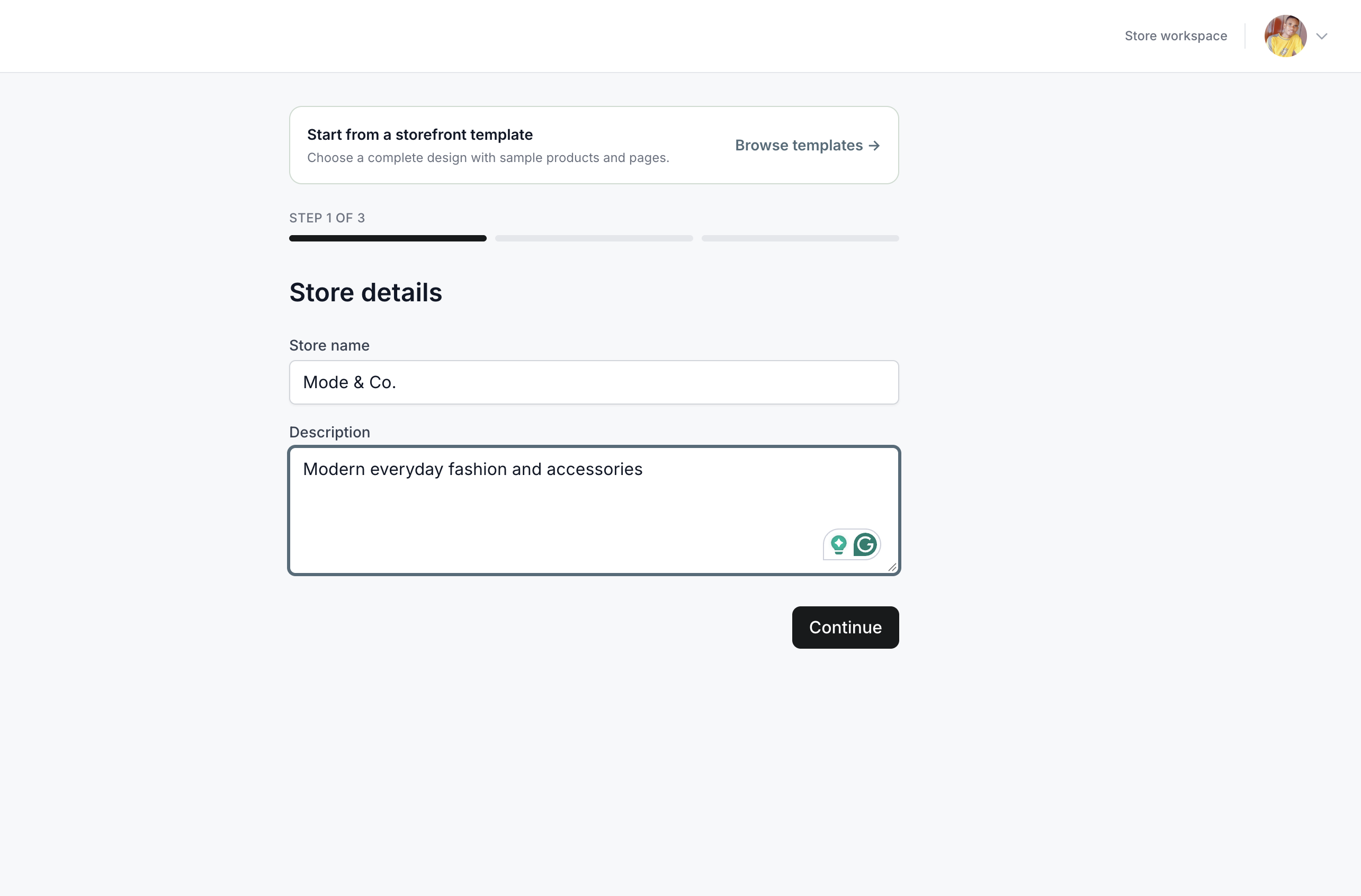
Step 4: Create Your Store
Provide your store information.
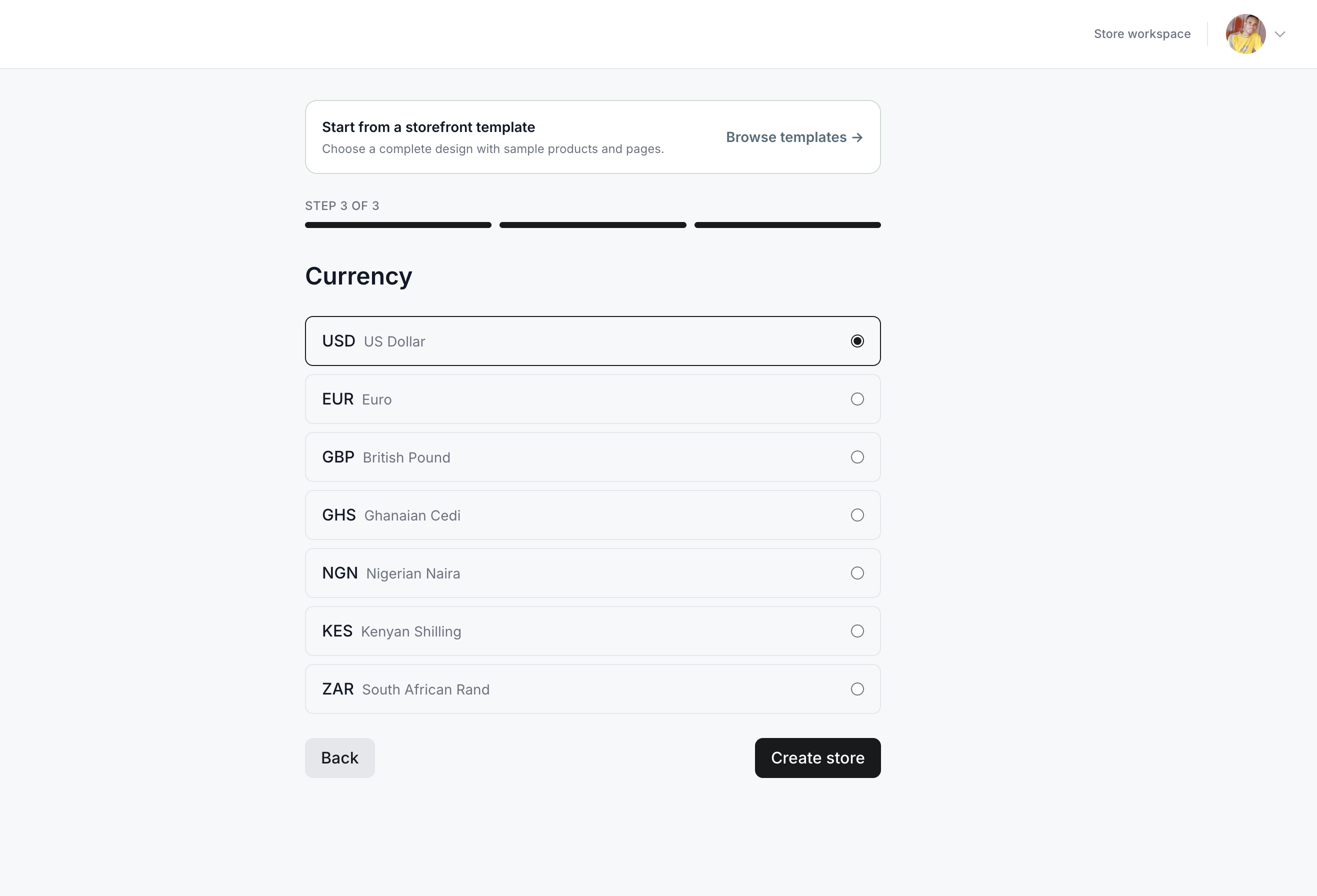
Choose the appropriate product type and currency.
Set up your products, categories, pricing, photography, and inventory information.
For larger catalogs, investigate whether a supported product import workflow or API-based migration would be more efficient.
Step 5: Connect Your Payment Gateway
Navigate to your store's payment configuration settings.
Connect an appropriate supported merchant account and follow the provider's configuration instructions.
Payment credentials, webhook configuration, stored customer payment methods, and existing subscriptions may require special migration procedures.
Do not assume saved payment methods or subscriptions can automatically transfer between platforms.
Step 6: Replace the Existing Ecommerce Integration
If Ecwid is embedded into your existing website, you may be able to preserve most of your website's design.
Instead of rebuilding the website, configure the new ecommerce catalog and replace the old embed.
For example, in Shoprivet, navigate to Catalog widgets.
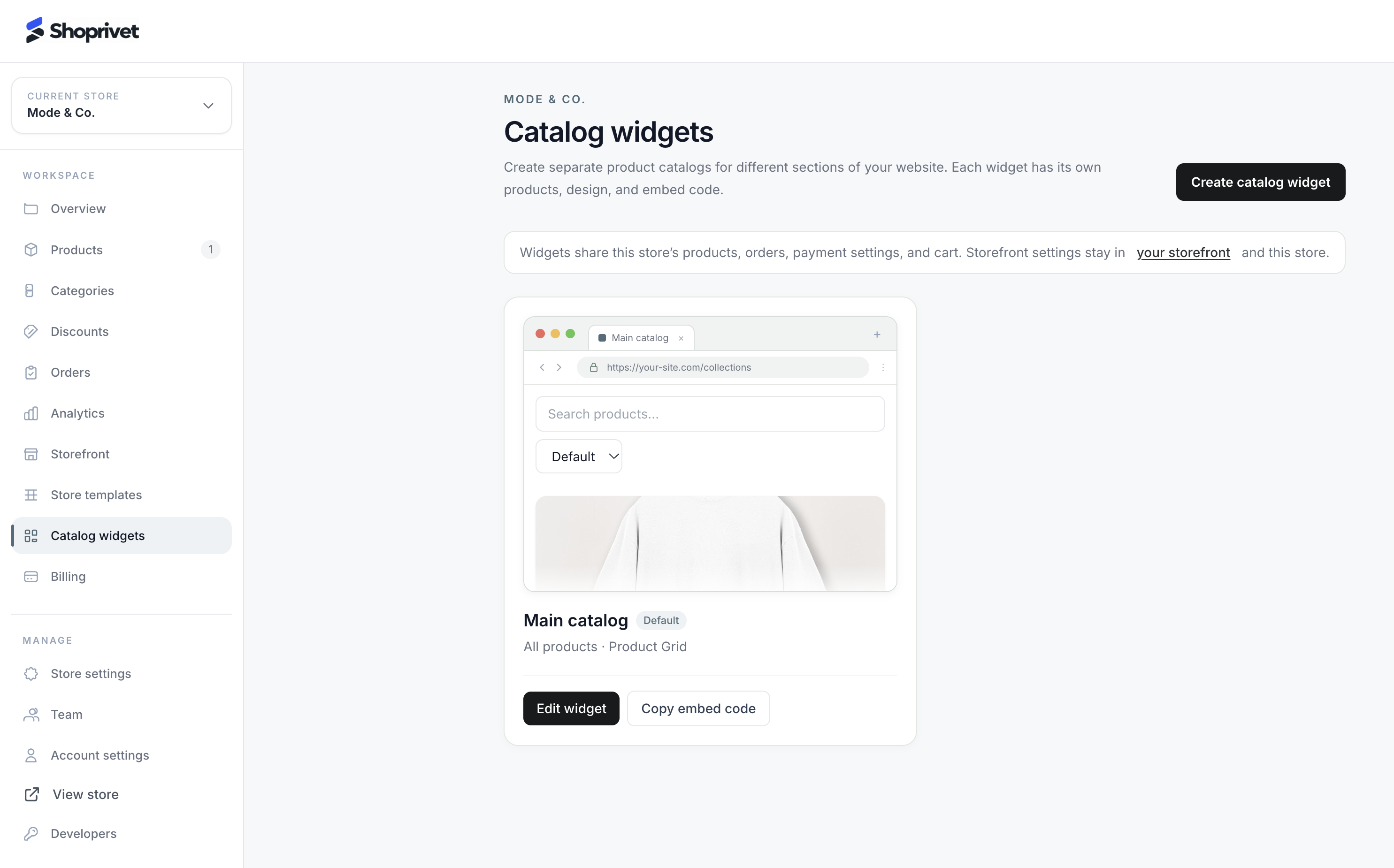
Customize the new catalog, save it, and copy its generated embed code.
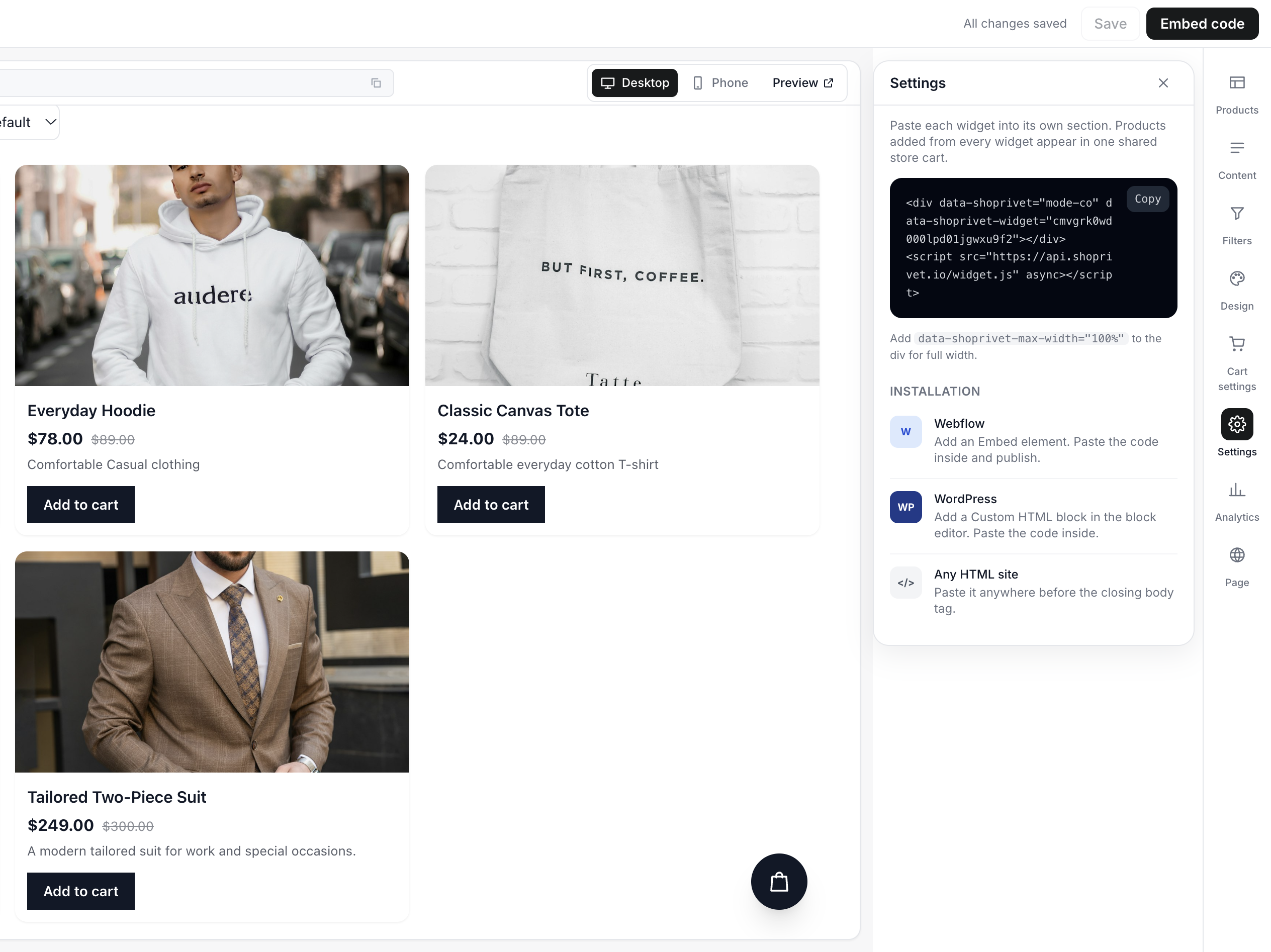
Add the new code to a staging version of your website first.
Remove the old Ecwid integration only when you're ready to switch.
If you use Ecwid Instant Site as your entire business website, the migration may require recreating some pages using a new hosted storefront builder.
Step 7: Test Checkout and Order Management
Before redirecting customers to the new shopping experience, test:
- Published products.
- Product variants.
- Product pricing.
- Inventory availability.
- Shopping cart functionality.
- Shipping and tax calculations, where required.
- Payment methods.
- Failed and cancelled transactions.
- Payment verification.
- Order notifications.
- Mobile checkout.
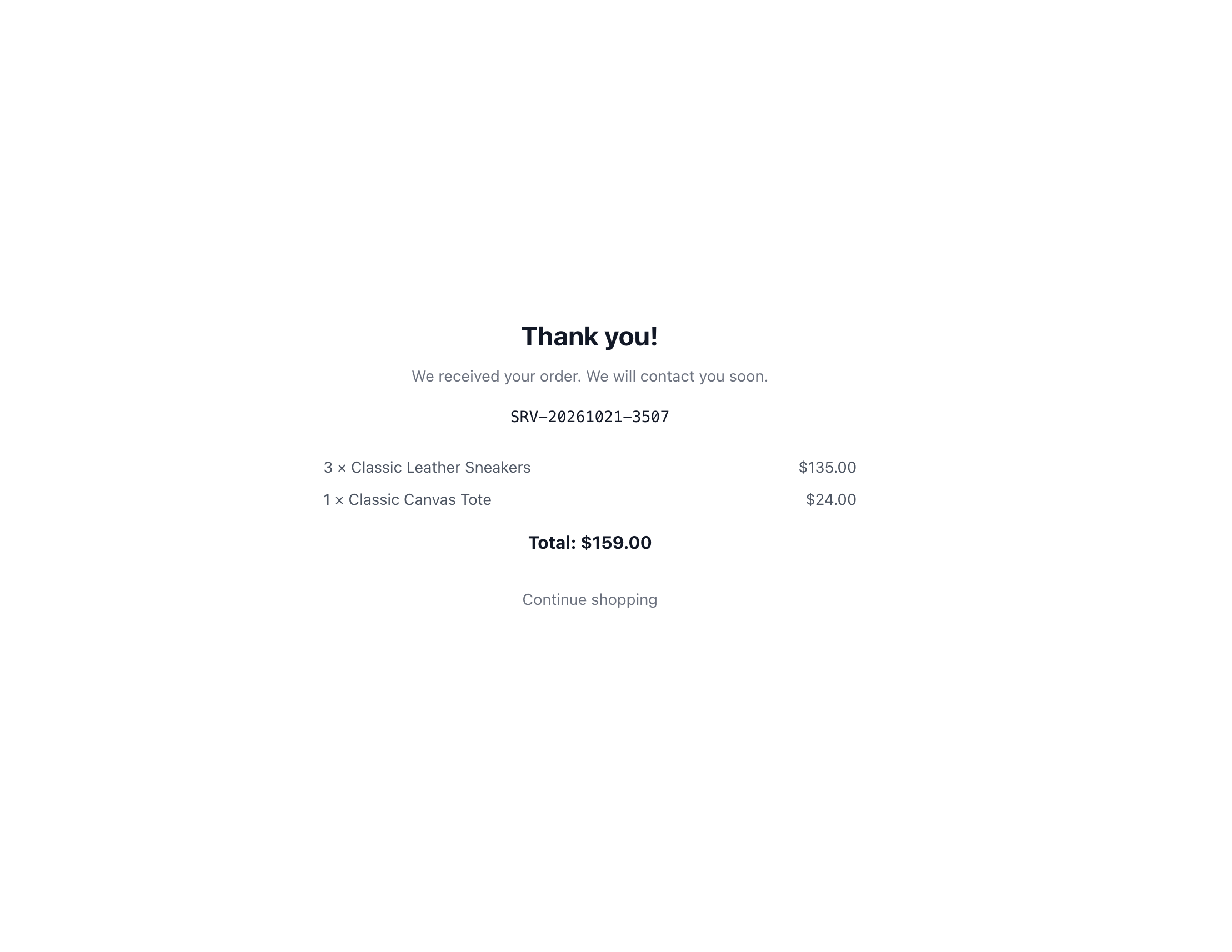
Confirm that the order has been recorded correctly and that the payment status matches the actual payment provider's records.
Step 8: Preserve Your Website's SEO
Changing ecommerce platforms can affect product URLs and existing search engine rankings.
Before launching the new store:
- Identify your existing indexed product pages.
- Preserve URLs wherever possible.
- Create appropriate redirects when URLs change.
- Update internal links.
- Review canonical URLs.
- Update your sitemap.
- Verify product structured data.
- Monitor indexing through Google Search Console.
If you retain your existing website and replace only the ecommerce integration, some of these changes may be minimized.
However, embedded product content and traditional server-rendered product pages can behave differently for search engine indexing.
Test your new storefront rather than assuming its SEO behavior will be identical.
Step 9: Cancel Your Old Subscription Only When Ready
Do not cancel your existing ecommerce account immediately after creating an account on another platform.
Keep access until you've verified:
- Your important data has been backed up.
- Products and inventory are configured.
- Customer checkout works.
- Outstanding orders are handled.
- Refund and subscription obligations are addressed.
- Your new website is ready for production.
A successful migration should minimize disruption to existing customers.
How to Choose the Right Ecwid Alternative
The cheapest platform is not automatically the best platform.
Start by identifying the type of ecommerce experience you actually need.
If You Already Have a Website
Consider Shoprivet or Shoprocket if you want a ready-made product catalog and shopping cart without rebuilding your website.
Snipcart and Foxy are also worth exploring if you have more specialized frontend or checkout requirements.
If You Need a Complete Online Store
Consider Shoprivet, Shoprocket, Shopify, or Sellfy.
Each provides a hosted storefront option, although their design capabilities and commerce features differ.
If You're a Software Developer
Consider Shoprivet, Snipcart, Shopify, or Shoprocket.
Compare the available APIs, checkout functionality, documentation, authentication requirements, rate limits, and total operating costs.
If You're Already Using WordPress
WooCommerce is a natural option because it integrates directly with the WordPress ecosystem.
However, a managed external commerce platform may be preferable if you don't want your WordPress installation to handle the underlying ecommerce infrastructure.
If You Sell Digital Products
Consider Shoprivet, Sellfy, Shoprocket, or Snipcart.
Verify that the platform supports secure file delivery, appropriate download limits, payment verification, and the specific digital products you intend to sell.
If You Need Subscriptions
Foxy, Snipcart, Shopify, Sellfy, and supported Shoprocket plans are worth investigating.
Check recurring billing functionality carefully, including cancellation workflows, failed payment handling, and customer subscription management.
If You Want to Start Selling for Free
Shoprivet and Shoprocket both provide permanent free hosted selling plans.
WooCommerce provides free ecommerce software, although hosting and maintenance costs still apply.
Compare the actual limitations of these free options before deciding.
For example:
| Feature | Shoprivet Free | Shoprocket Free | |---|---:|---:| | Monthly subscription | $0 | $0 | | Product allowance | 25 | 10 physical products | | Monthly order allowance | 50 | Unlimited | | Embedded ecommerce | Yes | Yes | | Hosted storefront | Yes | Yes | | Platform sales commission | 0% | 0% |
Shoprivet provides a larger initial product allowance, while Shoprocket provides unlimited orders on its free plan.
The better option depends on whether catalog size, order volume, payment integrations, inventory requirements, or other features matter most to your business.
When Should You Upgrade to a Paid Ecommerce Plan?
Starting with a free plan can be useful, particularly when validating a new business idea.
However, a paid subscription can become worthwhile when ecommerce is an established part of your business.
You might consider upgrading when you need:
- More products.
- Additional monthly orders.
- More than one independent store.
- Advanced product options and variants.
- Additional payment gateways.
- A custom domain.
- Team collaboration.
- Advanced marketing functionality.
- More extensive integrations.
For example, Shoprivet's Premium plan costs $15 per month and supports unlimited products, up to three stores, and 1,000 monthly orders.
For a growing business, the subscription may be justified when these additional capabilities help support ongoing sales.
For an agency, managing multiple independent storefronts may also make a paid plan worthwhile.
Before upgrading any ecommerce platform, identify the specific feature or limitation that's affecting your business.
You don't need to pay for advanced functionality simply because it exists.
Frequently Asked Questions
What is the best free alternative to Ecwid?
Shoprivet and Shoprocket are worth considering if you want a free hosted ecommerce solution that supports real customer purchases.
WooCommerce is another option if you want free, open-source ecommerce software and are comfortable managing WordPress hosting.
Does Ecwid still have a free plan in 2026?
Ecwid's current plans for new customers are Starter, Venture, Business, and Unlimited.
All four are paid plans.
Existing customers may have different legacy arrangements.
What is the closest alternative to Ecwid?
Shoprivet and Shoprocket are among the more direct alternatives because both support adding ecommerce functionality to an existing website and creating hosted online stores.
Is there a cheaper alternative to Ecwid?
Several platforms have lower starting subscription prices than Ecwid's Venture plan.
For example, Shoprivet offers a free plan and a $15 monthly Premium plan.
However, compare the features and usage allowances you need rather than relying entirely on the advertised entry price.
Can I add ecommerce to my existing website without Ecwid?
Yes.
Platforms including Shoprivet, Shoprocket, Snipcart, Foxy, and Shopify provide different ways of adding ecommerce functionality to an existing website.
Your website must support the relevant integration method.
Can I add a shopping cart to an HTML website?
Yes.
You can use an embeddable ecommerce catalog or shopping cart integration rather than building all the commerce functionality yourself.
Shoprivet, Shoprocket, Snipcart, and Foxy offer approaches that can work with compatible HTML websites.
Which Ecwid alternative is best for Next.js?
Shoprivet, Shopify, Snipcart, and Shoprocket are worth evaluating for custom Next.js ecommerce applications.
Shoprivet provides a management REST API and a public storefront API, allowing developers to separate merchant operations from customer-facing shopping functionality.
Can I use Shoprivet without its storefront builder?
Yes.
You can embed a product catalog into an existing website or build a completely custom storefront using its commerce API.
The visual storefront builder is optional.
Do all Ecwid alternatives charge transaction fees?
No.
Ecwid, Shoprivet, and Shoprocket do not charge an additional percentage-based platform fee on sales.
WooCommerce's core software also does not impose a revenue share.
Other platforms may charge transaction fees, additional usage fees, or charges above certain sales thresholds.
Payment gateway processing fees remain separate.
Can I accept payments through Paystack or Flutterwave?
Shoprivet supports Paystack and Flutterwave integrations.
Merchants must meet the respective payment providers' eligibility, country, and currency requirements.
Other platforms may support these payment providers through native integrations, extensions, or custom configurations.
Can I migrate my Ecwid products to another platform?
Generally, yes, provided you can export the required data and the new platform offers a compatible import or API-based workflow.
Product variants, customer accounts, historical orders, and subscriptions may require additional migration work.
Which Ecwid alternative is best for digital products?
Shoprivet, Sellfy, Shoprocket, and Snipcart are worth considering.
Sellfy is particularly focused on creators, while Shoprivet and Shoprocket also provide broader embedded and hosted ecommerce capabilities.
Do I need a backend to build a custom online store?
You need commerce backend functionality, but you don't necessarily need to develop or host it yourself.
A managed ecommerce API can provide product management, shopping carts, inventory, checkout, and order functionality while you build your own frontend.
Which Ecwid alternative is best for managing multiple stores?
Shoprivet and Shoprocket support multiple stores on eligible paid plans.
When evaluating multi-store functionality, consider store limits, team permissions, independent payment configurations, ownership arrangements, and usage allowances.
Is Shopify better than Ecwid?
It depends on your requirements.
Shopify is a comprehensive ecommerce ecosystem suited to businesses requiring extensive applications and sales channels.
Ecwid is particularly relevant to businesses that want to introduce ecommerce functionality into an existing website.
Neither is automatically the better choice for every merchant.
Final Verdict: Which Ecwid Alternative Should You Choose?
There is no single ecommerce platform that is perfect for every business.
If you want a comprehensive commerce ecosystem with extensive integrations, Shopify is worth considering.
If you already use WordPress and prefer greater control over your infrastructure, WooCommerce is a strong option.
If you're building a custom website and primarily need shopping cart functionality, Snipcart or Foxy may suit your requirements.
If you're a creator selling digital products or merchandise, Sellfy offers specialized functionality for those workflows.
If you're looking for embedded ecommerce with a hosted storefront option and developer integrations, Shoprocket is also worth exploring.
And if you want the flexibility to add ecommerce to your existing website, create a standalone online store, or develop your own shopping application using a REST API, take a look at Shoprivet.
With Shoprivet, you can start with one approach and later explore another using the underlying product and order management infrastructure.
You don't have to choose between a visual storefront builder and custom development before you've even launched your business.
Your website can be built your way, while your commerce operations are managed separately.
You can explore Shoprivet through the following links:
- Create a free Shoprivet account
- Explore embeddable product catalogs
- Browse storefront templates
- View Shoprivet pricing
- Access the Developers dashboard
Start with the features your business needs today, and choose a platform that can support your requirements as your store grows.
Sources
Pricing and feature information was researched in November 2026 using official platform documentation and pricing pages.
- Ecwid pricing
- Ecwid plans and features
- Ecwid's March 2026 pricing changes
- Shoprivet pricing
- Shoprocket pricing
- Snipcart pricing
- Shopify pricing
- Foxy pricing
- WooCommerce pricing
- Sellfy pricing
Disclosure: I'm the founder and developer behind Shoprivet. The comparisons and recommendations in this article reflect different ecommerce use cases and publicly documented platform capabilities rather than independent hands-on benchmarking. Pricing and features may change, so always consult the relevant provider before making a purchasing decision.